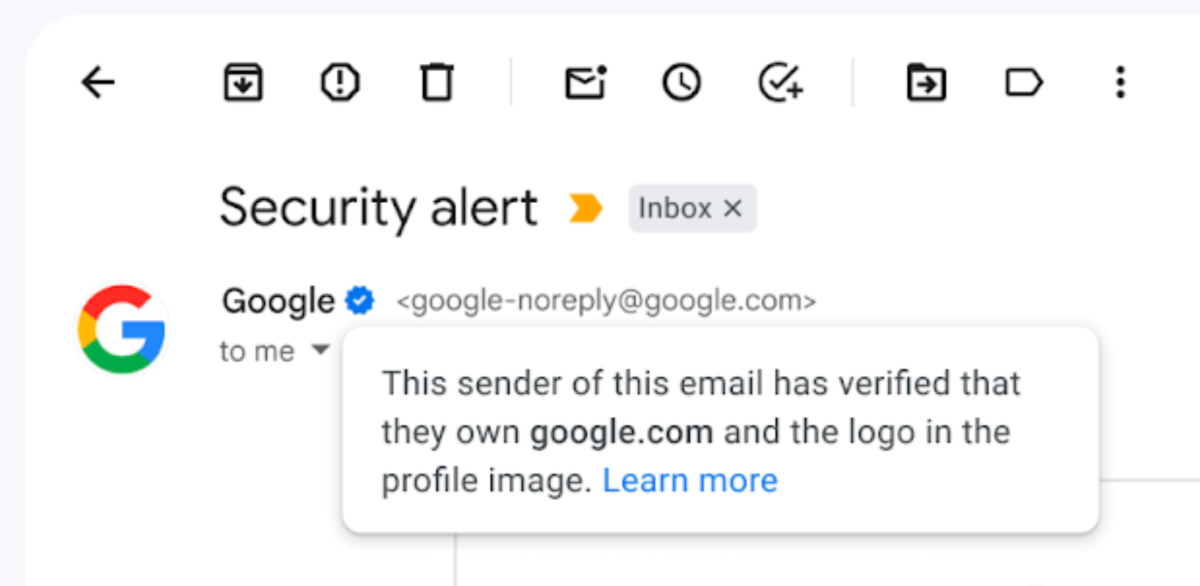
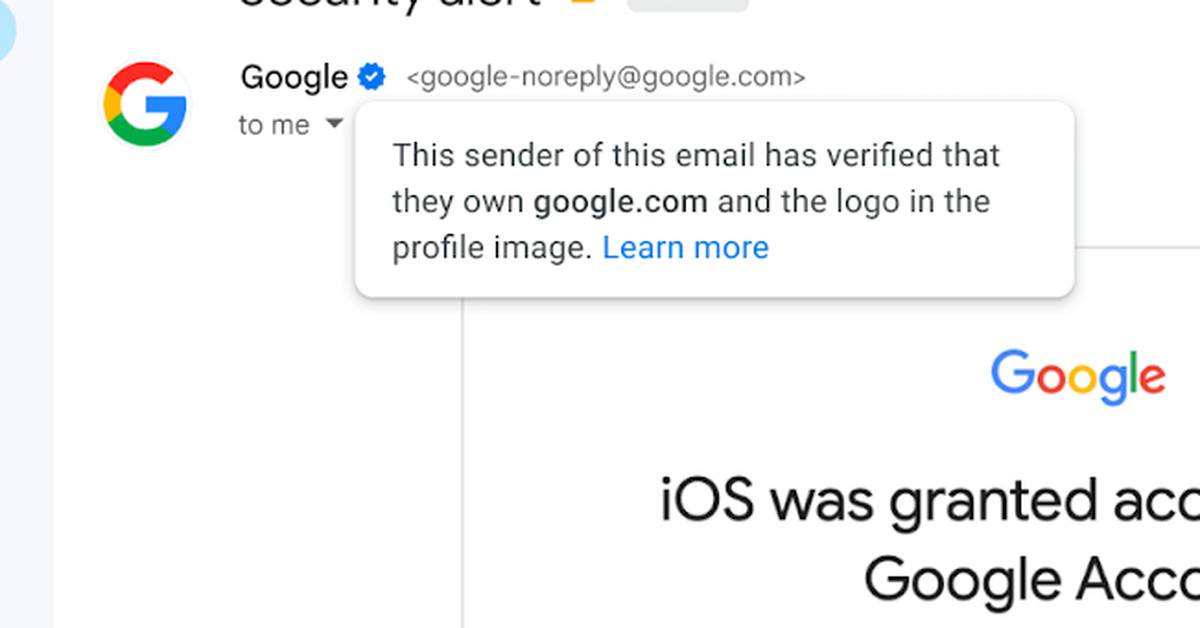
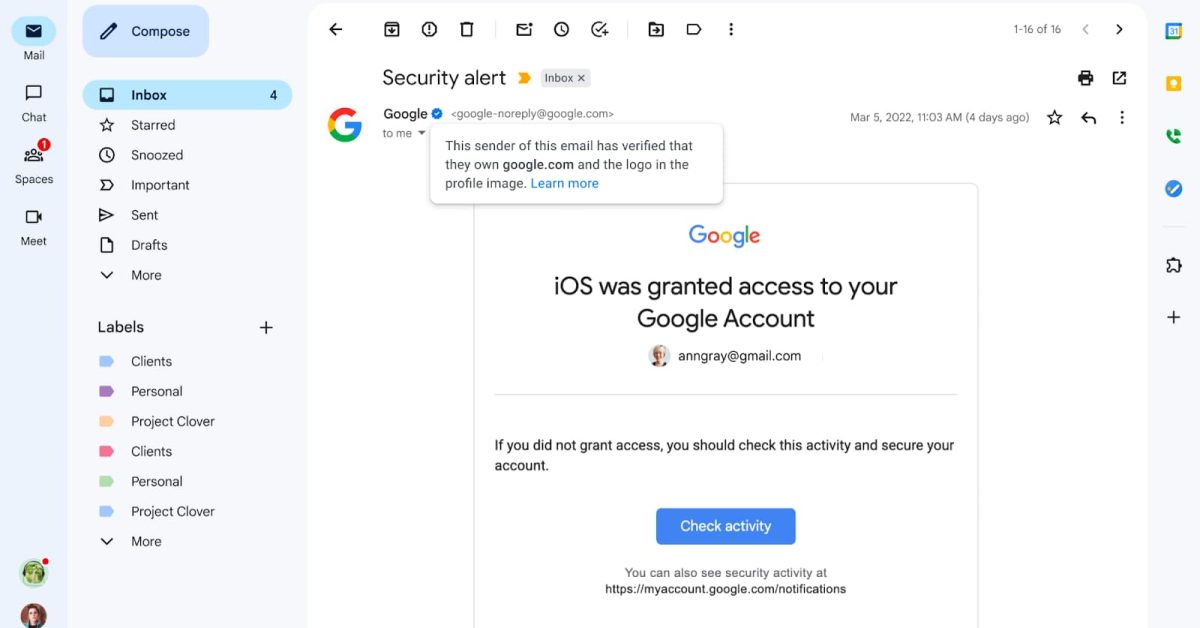
Scammers have already found a way to abuse Gmail's new blue checkmark verification system, which was introduced to help prevent scam emails. The system uses Brand Indicators for Message Identification (BIMI) and DMARC to verify both the logo and the domain attached. However, a senior cybersecurity architect for Dartmouth Health has revealed that it's possible to fake these badges. Google has responded by requiring senders to use the DomainKeys Identified Mail (DKIM) authentication standard to qualify for blue checkmarks, which will be rolled out by the end of this week.
Gmail has introduced blue verified checkmarks next to companies that have adopted Brand Indicators for Message Identification (BIMI) to help users identify messages from legitimate senders and stop spam. The checkmarks will be available to all personal accounts, as well as Google Workspace and legacy G Suite customers. The move is aimed at increasing confidence in email sources and creating a better email ecosystem for everyone.
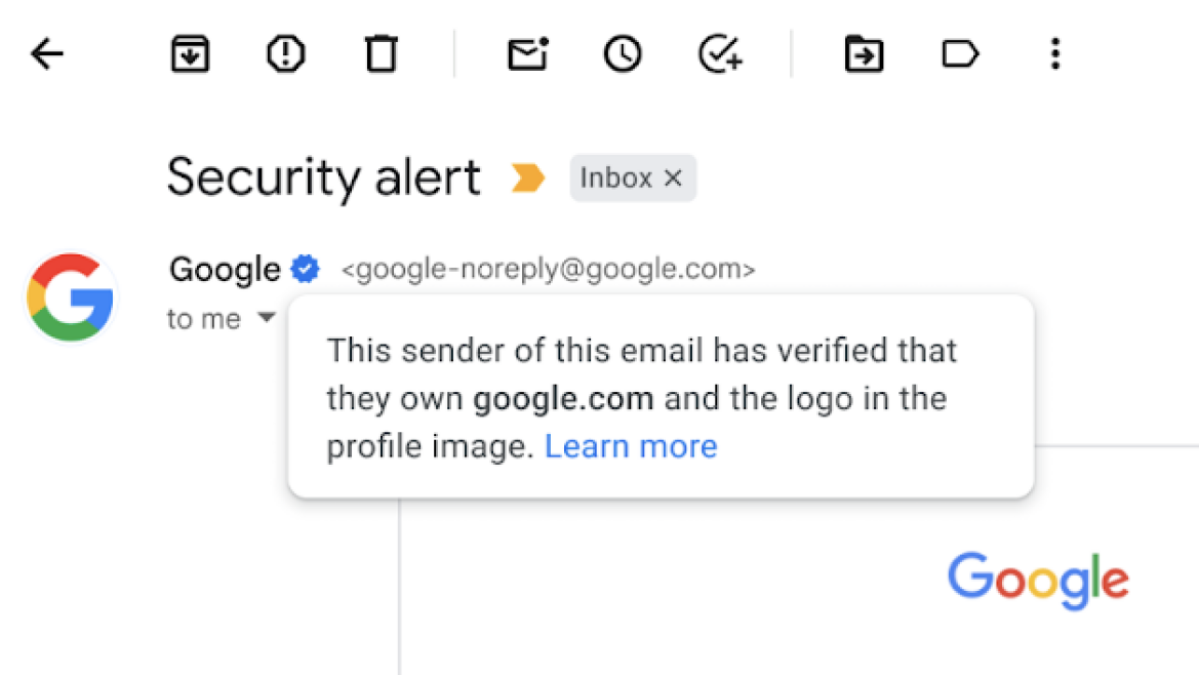
Google is introducing a blue checkmark next to an organization's name in Gmail to verify the authenticity of the sender and protect against malicious and unwanted emails. This feature is only available for organizations that adopt the BIMI security system, which Google has supported since 2021. The checkmark replaces the organization's logo and is expected to be adopted by many more companies in the coming days.
Gmail has launched a new way to identify the authenticity of certain senders by displaying a blue checkmark next to their name, which only shows next to organizations who adopted the BIMI system. The blue checkmark is a useful anti-phishing tool and a jab at Twitter's blue checkmarks, which have been turned from a verification tool to a badge of "honor" that users get when they pay for the Twitter Blue subscription tier.
Google is introducing a blue checkmark feature in Gmail that indicates whether a sender is genuine or not. The checkmark is part of the Brand Indicators for Message Identification (BIMI) tech, which enables brands to include authenticated logos in their emails. The blue checkmark is a more obvious indicator that the sender is legitimate. The feature should be live for all users by the end of the week, while Workspace admins can help set up BIMI for their company.
Google is introducing blue checkmarks next to select senders' names on Gmail to verify their identity. The checkmarks will appear next to companies that have adopted Gmail's existing Brand Indicators for Message Identification (BIMI) feature. The BIMI feature requires senders to use strong authentication and verify their brand logo to display a brand logo as an avatar in emails. The update will help users identify messages from legitimate senders versus impersonators. The blue verified checkmarks are rolling out starting today across both Workspace accounts and personal Google accounts.
Gmail is introducing a blue checkmark next to a sender's name to verify their identity, building upon Gmail's existing Brand Indicators for Message Identification (BIMI) feature. The feature is intended to help users identify legitimate senders and stop spam, while allowing senders to leverage their brand trust. The verified checkmark will be rolled out across both Workspace accounts and personal Google accounts.
Gmail is adding a blue checkmark to emails to help users identify messages from legitimate senders versus impersonators. The feature is based on the Brand Indicators for Message Identification (BIMI) standard, which uses strong authentication with DMARC and logo verification. The checkmark icon will be available to all Google Workspace customers and personal Google Accounts over the coming days/weeks. This will increase confidence in email sources and create a better email ecosystem for everyone.