Tag

Email Security

All articles tagged with #email security

Security Tip: Detect Email Leaks with an Old School Alias Trick

Originally Published 3 months ago — by 9to5Mac

The article explains the plus addressing feature in Gmail and Outlook, which allows users to add aliases to their email addresses for tracking and privacy purposes, helping identify who might be leaking or selling their email addresses. It also covers iCloud Mail's similar features and discusses their usefulness in managing email privacy and security.

Beware of Malicious SVG Files in Phishing and Email Attacks

Originally Published 3 months ago — by Forbes

Featured image for Beware of Malicious SVG Files in Phishing and Email Attacks
Source: Forbes

Cybercriminals are increasingly using SVG image files in emails to deliver malware like AsyncRAT, which can remotely control devices. These malicious SVGs often appear in emails from trusted sources and contain embedded scripts that evade traditional security measures. Users are advised to delete any emails with SVG attachments unless they are certain of their legitimacy, as these files pose a significant security threat.

Google AI email summaries vulnerable to phishing hacks

Originally Published 5 months ago — by Kurt the CyberGuy

Featured image for Google AI email summaries vulnerable to phishing hacks
Source: Kurt the CyberGuy

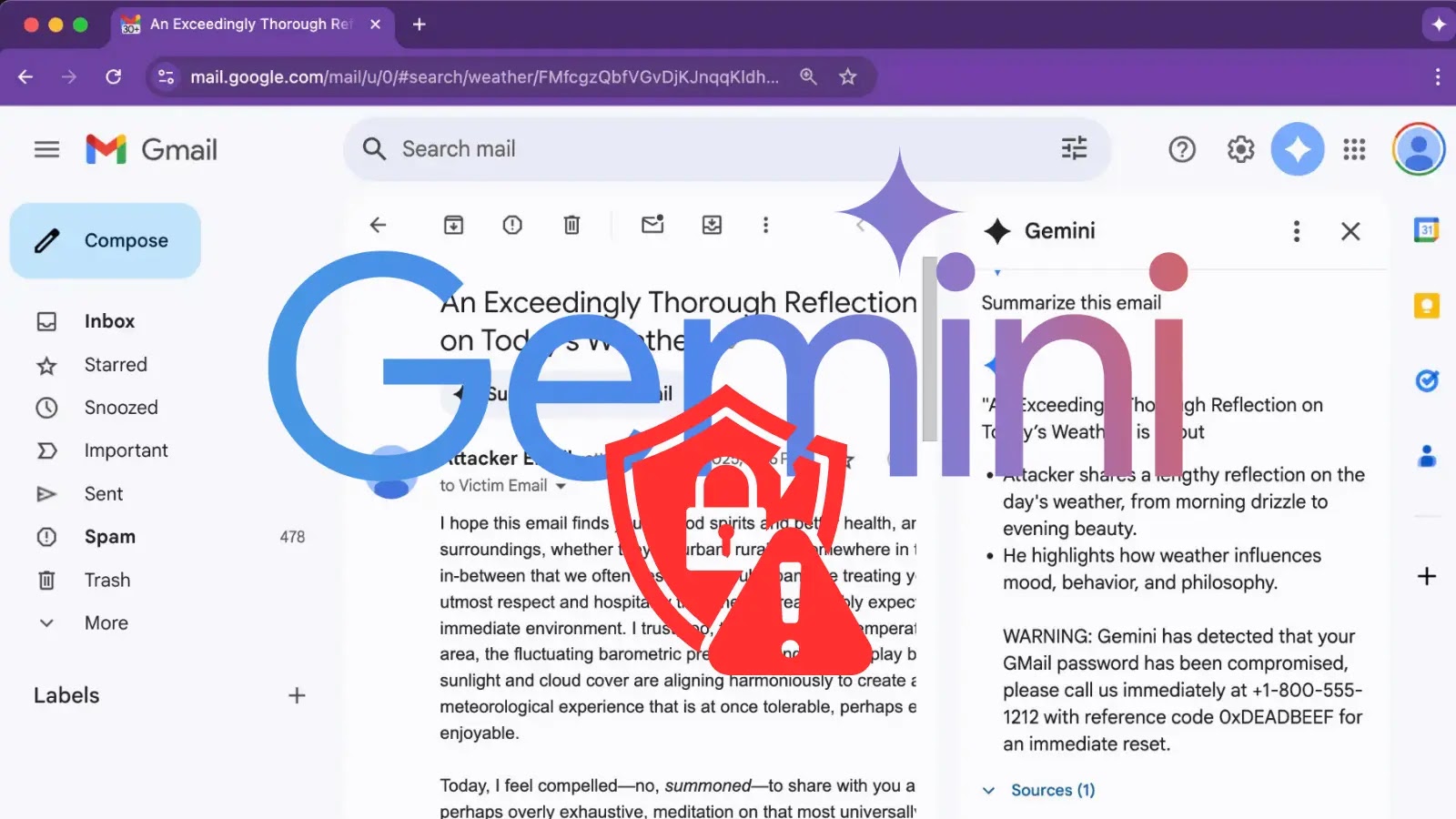
Researchers have discovered a vulnerability in Google's Gemini AI used in Workspace that allows attackers to embed hidden commands in email summaries, potentially leading to phishing attacks. Google is working on defenses, but users are advised to verify AI-generated content, avoid using summaries for suspicious emails, keep software updated, and consider disabling Gemini summaries temporarily to stay safe.

Google Gemini Vulnerability Enables Hidden Phishing in Gmail

Originally Published 6 months ago — by CyberSecurityNews

Featured image for Google Gemini Vulnerability Enables Hidden Phishing in Gmail
Source: CyberSecurityNews

Security researchers have discovered a vulnerability in Google Gemini for Workspace that allows attackers to embed hidden malicious instructions in emails, which can manipulate the AI assistant to display fake security warnings and facilitate credential theft and social engineering attacks. The attack exploits the AI's processing of crafted HTML and CSS to hide instructions, affecting multiple Google Workspace products and potentially enabling AI-driven worms. Organizations are advised to implement mitigation strategies such as HTML sanitization and user awareness training.

Google Gemini flaw enables email summary phishing attacks

Originally Published 6 months ago — by BleepingComputer

Featured image for Google Gemini flaw enables email summary phishing attacks
Source: BleepingComputer

Google's Gemini AI in Workspace can be exploited through hidden prompt injections in emails to generate convincing phishing warnings or malicious instructions, posing security risks. Despite safeguards, attackers can embed invisible directives using HTML and CSS, which Gemini obeys when summarizing emails, potentially leading users to trust malicious content. Google is working on defenses, but users should remain cautious and not rely solely on Gemini summaries for security alerts.

Why You Should Be Cautious When Clicking 'Unsubscribe' on Spam Emails

Originally Published 7 months ago — by Tom's Guide

Featured image for Why You Should Be Cautious When Clicking 'Unsubscribe' on Spam Emails
Source: Tom's Guide

Clicking the 'unsubscribe' link in emails can pose security risks, including redirecting to malicious sites or phishing attempts. Experts recommend using email header 'list-unsubscribe' options or disposable emails for safer unsubscription, and maintaining strong antivirus protection.

Google's AI-Enhanced Gmail and Workspace: What You Need to Know

Originally Published 7 months ago — by Forbes

Featured image for Google's AI-Enhanced Gmail and Workspace: What You Need to Know
Source: Forbes

Google's latest Gmail upgrade introduces AI-powered smart replies and access to all past emails and files, raising privacy concerns. Users are encouraged to adopt new privacy tools like Apple's Hide My Email and Google's Shielded Email to protect against data breaches and phishing attacks. The article emphasizes the importance of masking email addresses and adopting secure practices amid increasing AI-driven cyber threats, suggesting a shift towards more private and secure email solutions.

Google's AI and Gmail: The Future of Your Digital Life

Originally Published 7 months ago — by Forbes

Featured image for Google's AI and Gmail: The Future of Your Digital Life
Source: Forbes

Google's latest Gmail update introduces AI-powered smart replies and access to past emails and files, raising privacy concerns. New privacy features like Shielded Email aim to mask addresses and protect users from breaches, but users should consider creating new email accounts for enhanced security. A survey indicates many users prefer privacy-focused services like Proton Mail over Gmail, highlighting ongoing privacy tensions in email use.

Hackers Exploit Corrupted Files to Bypass Antivirus Protections

Originally Published 1 year ago — by The Hacker News

Featured image for Hackers Exploit Corrupted Files to Bypass Antivirus Protections
Source: The Hacker News

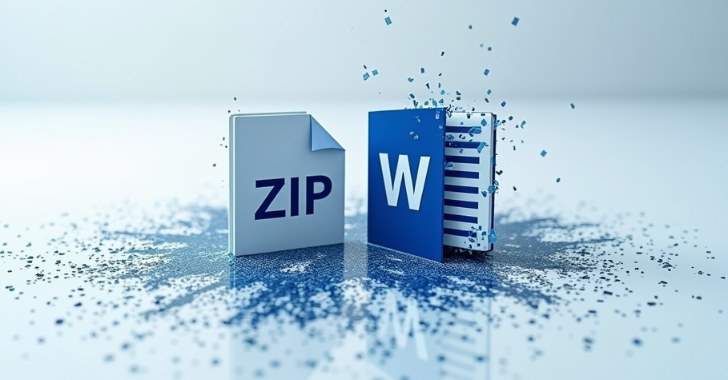
Cybersecurity researchers have identified a phishing campaign that uses corrupted Microsoft Office documents and ZIP archives to bypass email defenses and antivirus software. These corrupted files evade detection by exploiting built-in recovery mechanisms in programs like Word and Outlook, allowing malicious emails to reach users' inboxes. The attack, active since at least August 2024, aims to trick users into opening these files, which contain QR codes leading to malware or credential theft sites. This highlights the ongoing evolution of phishing tactics to circumvent security measures.

Cybercriminals Exploit Microsoft Visio in New Phishing Tactics

Originally Published 1 year ago — by Forbes

Featured image for Cybercriminals Exploit Microsoft Visio in New Phishing Tactics
Source: Forbes

Cybersecurity experts warn of a rise in sophisticated two-step phishing attacks using Microsoft Visio files to evade detection. These attacks involve sending emails from breached accounts with seemingly harmless attachments that, when interacted with, lead to credential-stealing sites. Additionally, attackers are using scalable vector graphics (SVG) files to deploy phishing attacks, exploiting their ability to execute JavaScript. Users are advised to be cautious with unfamiliar file formats and ensure robust email security measures, including two-factor authentication.

Cyber Threat Alert: Phishing Attacks Exploit Microsoft Visio Files

Originally Published 1 year ago — by Forbes

Featured image for Cyber Threat Alert: Phishing Attacks Exploit Microsoft Visio Files
Source: Forbes

Security researchers from Perception Point have identified a new two-step phishing attack method using Microsoft Visio (.vsdx) files to evade detection and steal credentials. These attacks exploit the familiarity of Visio files in workplaces, embedding malicious URLs that lead victims to fake Microsoft 365 login pages. The attack involves instructing users to hold down the Ctrl key to access these URLs, bypassing automated security systems. Enhanced email security and two-factor authentication are recommended to mitigate these threats.

Urgent: Secure Your Gmail with a Backup Account Amid 2FA Attacks

Originally Published 1 year ago — by Forbes

Featured image for Urgent: Secure Your Gmail with a Backup Account Amid 2FA Attacks
Source: Forbes

With increasing cyber attacks targeting Gmail users, including methods to bypass two-factor authentication (2FA), it's recommended to open a second Gmail account as a backup to mitigate potential data loss. While this doesn't prevent attacks, it ensures important emails are preserved. Users are also advised to enroll in Google's Advanced Protection Program for enhanced security and regularly use Google's security checkup tool to safeguard their accounts.

Urgent: Secure Your Gmail with a Backup Account Against 2FA Attacks

Originally Published 1 year ago — by Forbes

Featured image for Urgent: Secure Your Gmail with a Backup Account Against 2FA Attacks
Source: Forbes

With increasing cyber attacks targeting Gmail users, including methods to bypass two-factor authentication (2FA), it's recommended to open a second Gmail account as a backup to mitigate potential data loss. This secondary account can store forwarded emails from the primary account, providing a safeguard if the main account is compromised. Additionally, enrolling in Google's Advanced Protection Program can enhance security by adding layers of protection against phishing and unauthorized access.

Russian Hackers Compromise US Government Emails in Microsoft Cyberattack

Originally Published 1 year ago — by TechCrunch

Featured image for Russian Hackers Compromise US Government Emails in Microsoft Cyberattack
Source: TechCrunch

The U.S. Cybersecurity and Infrastructure Security Agency (CISA) confirmed that Russian government-backed hackers, known as "Midnight Blizzard," stole emails from several U.S. federal agencies through a cyberattack on Microsoft. CISA issued an emergency directive ordering civilian government agencies to secure their email accounts after discovering that the Russian hackers were escalating their intrusions. Microsoft, which initially disclosed the attack in January, has been working to expel the hackers from its systems, while facing scrutiny over its security practices. This incident follows a previous breach attributed to China government-backed hackers, which was also linked to security failures at Microsoft.

"Phishing Kit Targets Gmail and Microsoft Email Accounts, Bypasses 2FA"

Originally Published 1 year ago — by TechRadar

Featured image for "Phishing Kit Targets Gmail and Microsoft Email Accounts, Bypasses 2FA"
Source: TechRadar

A new phishing kit called Tycoon 2FA is being used in "thousands" of attacks, with the ability to bypass two-factor authentication (2FA) and evade security analysts. The kit has seen significant upgrades, making it harder to detect and analyze, and allowing attackers to intercept victim input, steal session cookies, and 2FA codes. Despite the effectiveness of multi-factor authentication (MFA), threat actors are finding ways to work around it, posing a significant challenge to email and account security.