Google is experiencing a service outage affecting Google Workspace apps like Docs, Drive, Sheets, and Slides, with users reporting connection errors and thousands of reports on Downdetector; Google is investigating the issue.
Google Docs is highly convenient for online collaboration and offers sufficient features for routine tasks, but Microsoft 365 provides more powerful desktop applications and greater flexibility, making it the preferred choice for advanced document, spreadsheet, and presentation editing. Both suites are accessible across platforms and offer free tiers, with Microsoft 365 excelling in desktop app capabilities and Google Docs in online collaboration.
Google Docs now allows users to generate AI-powered audio versions of their documents using Google Gemini, with customizable voices and playback speeds, accessible to shared document readers and authors, primarily on desktop and in English, for Workspace and premium AI subscribers.
Google Docs now features a new 'Audio' tool powered by Gemini that allows users to create audio versions of documents with natural-sounding voices, accessible via the Tools menu on the web, enhancing reading and editing experiences. The feature is available to certain subscribers and is rolling out gradually.
Google is expanding its Gemini AI assistant to Google Docs for Android, allowing users to summarize, understand, and ask questions about documents directly from their mobile devices, with features similar to those in Gmail, and rolling out to various Workspace tiers.
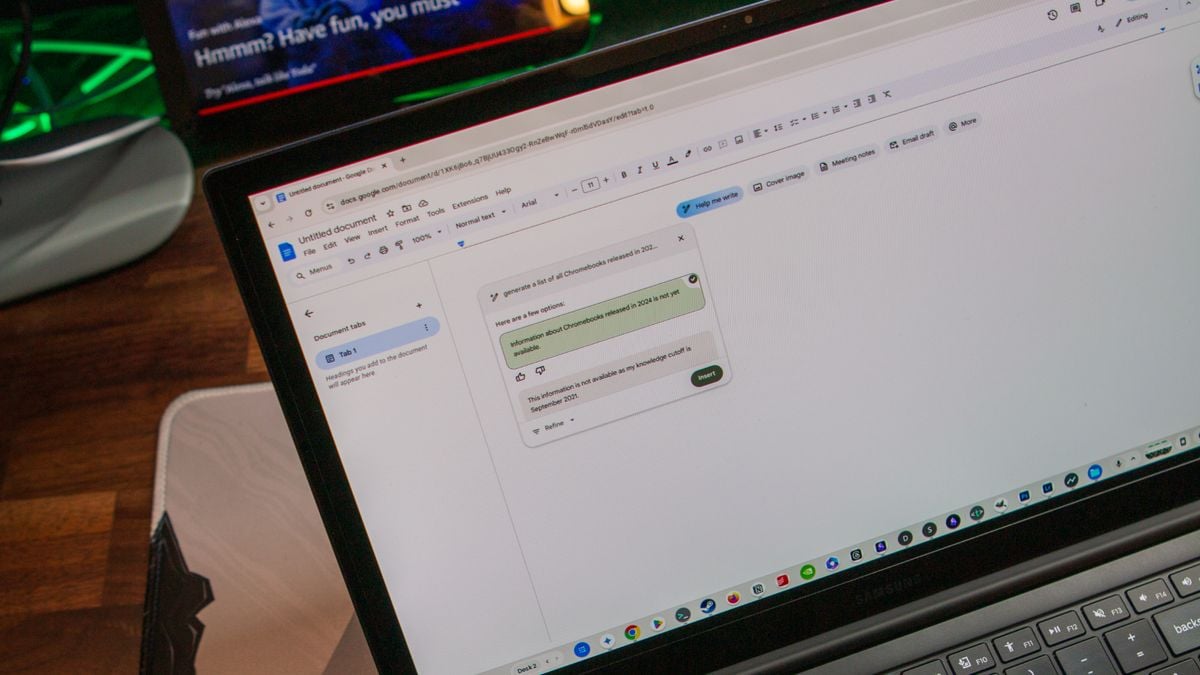
Google Docs is testing a new AI-powered feature called "Help me create," which uses Gemini to generate formatted documents from scratch. This feature allows users to integrate Google Drive files by typing "@" followed by the file name, although it doesn't retain the original layout or style. While it enhances productivity by creating various document types, it currently cannot generate images of people and is available only to select users in the Gemini for Google Workspace Alpha and Workspace Labs programs.
Google has integrated its Imagen 3 AI model into Google Docs, allowing paid Workspace and Google One AI Premium users to generate custom inline images directly within their documents. This feature expands on previous capabilities that only supported full-bleed cover images. Users can create photorealistic images using text prompts and select from different styles and aspect ratios. However, this functionality is not available to free users and is currently rolling out to eligible subscribers.
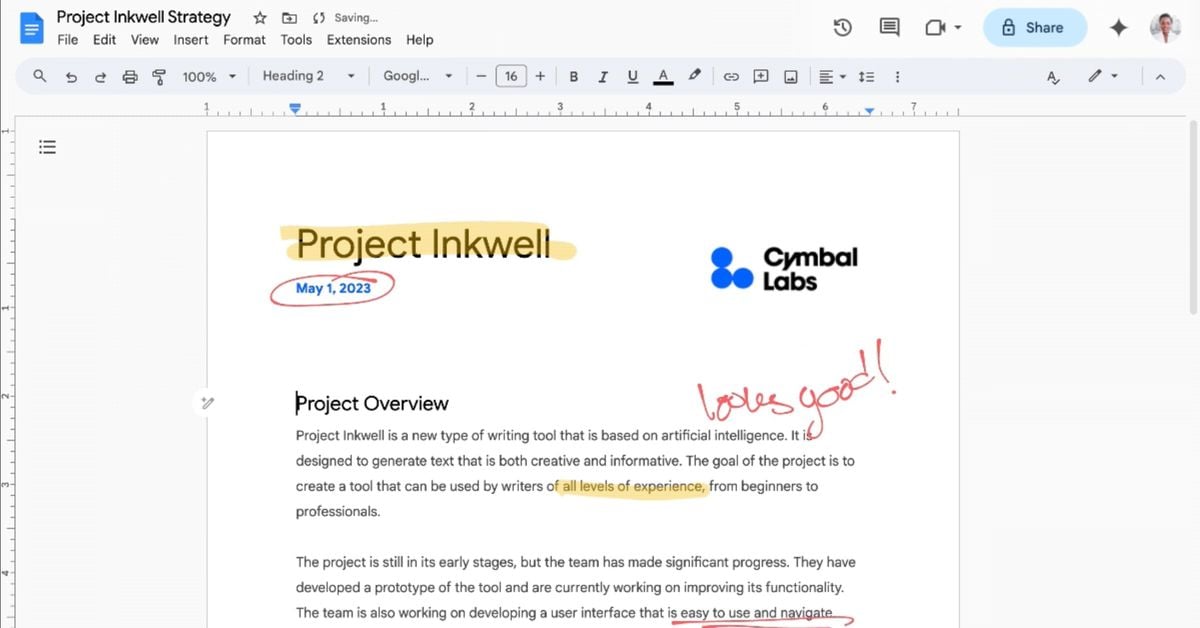
Google has introduced a new markup feature for Google Docs that allows users to hand annotate directly on a document using a stylus or finger, catering to educators and students for providing feedback and creative writing. However, the feature is currently only available on Android devices, limiting its accessibility to users of Windows, macOS, and iOS devices. The rollout began on February 27th and will continue through March 11th, but the lack of compatibility with popular devices like iPads and non-touchscreen Chromebooks may hinder widespread adoption.
Google Docs, Sheets, and Slides on Android tablets now feature a formatting sidebar, replacing the previous toolbar, to provide easier access to formatting options such as line spacing and columns. This change reduces the number of taps needed to navigate formatting options and will be fully available over the coming weeks. Additionally, Google Slides on the web will soon allow users to drag and drop an image to replace a background.
Google Docs has introduced an "@ button" shortcut to encourage the usage of Smart Chips, which allow users to perform various actions within Docs and other Workspace apps. The button appears when the cursor is on a blank line and provides quick access to People shortcuts and Smart Chips such as Date, Dropdown, Stopwatch, Timer, Task, Variable, Voting, and Placeholder. Additionally, Workspace domains now allow employees to record and share the pronunciation of their names, which can be played from profile cards in Gmail, Docs, and other apps. These features are available to Google Workspace customers and users with personal Google Accounts.
Google Docs offers a range of lesser-known features that can enhance productivity and document creation. Users can look up definitions, switch to a pageless view for an infinite canvas, create building blocks with templates like meeting notes and email drafts, generate a table of contents automatically, compare documents, explore the web and Google Drive within the document, react with emoji, copy and paste formats, display word count while typing, use text expansion for automatic substitutions, search for tools or features, utilize keyboard shortcuts, and drop in smart chips for dynamic information and linking to other files.
Google has introduced new extensions for its AI chatbot, Bard, allowing users to connect it to Gmail, Docs, and other Google services. While the updates offer potential benefits for organizing and retrieving information, users should manage their expectations as the extensions are still experimental. Bard's ability to accurately retrieve specific emails or documents is limited, often providing outdated or irrelevant results. However, it can be useful for finding information on general topics and providing writing feedback. Overall, Bard has room for improvement before it becomes a reliable assistant, and users may still prefer traditional search methods for now.
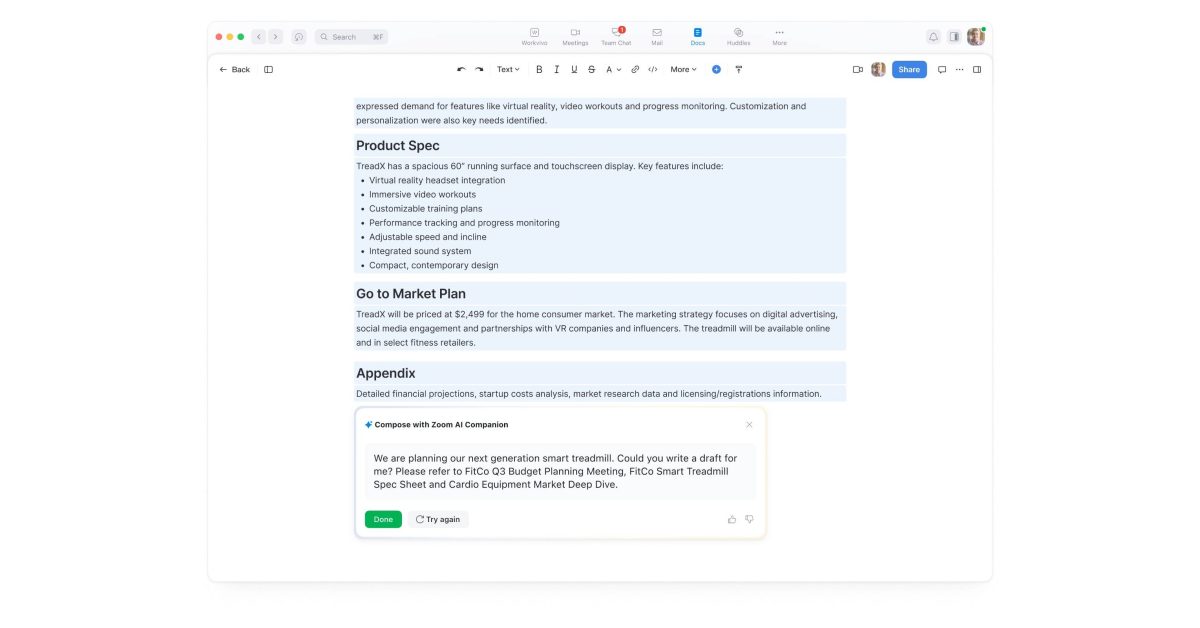
Zoom is set to launch "Zoom Docs" next year, aiming to compete with Google Docs by integrating document collaboration with its video calls and other hybrid work tools. Zoom Docs will have a heavy focus on AI and collaboration, offering features such as project tracking, support for bringing documents into Team Chat and video calls, and a generative AI component called Zoom AI Companion that can write drafts, create summaries, and streamline information sharing across Zoom.
Google Docs is introducing a new paid feature called "Proofread," which utilizes AI to provide advanced writing suggestions. In addition to spelling and grammar, Proofread offers suggestions for conciseness, active voice, wording, and sentence splitting. The feature can be accessed through a side panel and allows users to easily review and accept/reject suggestions. Proofread aims to enhance the quality and readability of content in Google Docs and is available for Workspace Enterprise users.
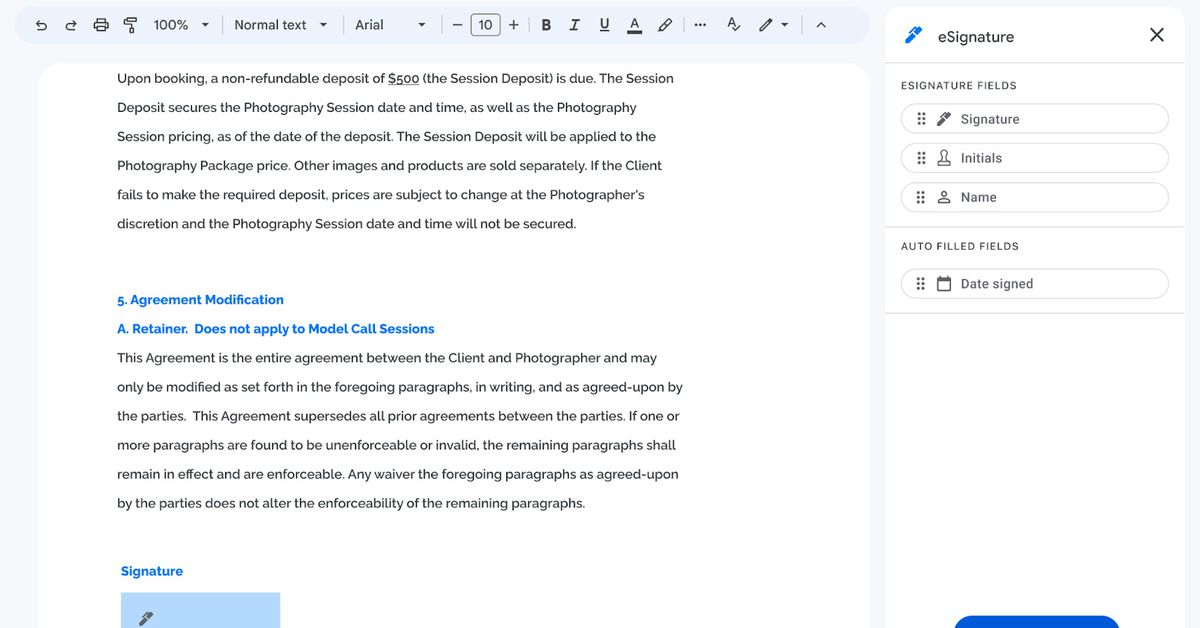
Google is introducing native support for eSignatures in Google Docs and Drive, allowing users to request and leave eSignatures within the cloud-based productivity software. The feature, which has been in testing for over a year, aims to provide parity with competitors and streamline the signing process for users. The beta version will initially only support signature requests from Gmail users, with support for non-Gmail users expected later this year. Access to the feature will be available to Workspace individual subscribers in the coming weeks, while other Workspace Business or Enterprise subscribers can request access through a specific form.