Tag

Workflow

All articles tagged with #workflow

Must-Have Linux Apps of 2025

Originally Published 12 days ago — by It's FOSS

Featured image for Must-Have Linux Apps of 2025
Source: It's FOSS

The article highlights five essential Linux apps for 2025 that improved the author's workflow: Converseen for batch image conversion, LM Studio for running local language models, Packet for fast Android file transfers, Btop++ for system monitoring, and Calibre for ebook management with AI features. These tools demonstrate the versatility and power of Linux software in various tasks.

Apple Unveils M5 Chip in New MacBook Pro, iPad Pro, and Vision Pro for Enhanced Performance

Originally Published 2 months ago — by CineD

Featured image for Apple Unveils M5 Chip in New MacBook Pro, iPad Pro, and Vision Pro for Enhanced Performance
Source: CineD

Apple announced the MacBook Pro M5 and iPad Pro M5, featuring significant performance improvements, especially in AI and GPU capabilities, aimed at filmmakers and content creators. The new M5 chip offers up to 3.5x faster AI performance, higher GPU throughput, and faster storage, enhancing demanding workflows on both devices. The updates focus on computational power and AI tasks, with no design changes, and are available for pre-order with shipping starting October 22.

Top 5 Free Windows Apps to Boost Your Productivity

Originally Published 5 months ago — by ZDNET

Featured image for Top 5 Free Windows Apps to Boost Your Productivity
Source: ZDNET

The article highlights five essential free Windows applications—Brave browser, VLC Media Player, ShareX, WPS Office, and Todoist—that enhance user experience by improving privacy, media management, screenshot editing, office productivity, and task organization, respectively, emphasizing their reliability and value for efficient workflow.

The Rise of Generative AI: Transforming Businesses and Content Creation

Originally Published 2 years ago — by TechCrunch

Featured image for The Rise of Generative AI: Transforming Businesses and Content Creation
Source: TechCrunch

Generative AI is set to revolutionize enterprise applications, leading to a shift from "system of record" to "system of engagement" applications. The first wave of generative AI applications has already emerged, but they often lack enduring value due to limited workflow or functionality. The second wave will integrate structured and unstructured data from system-of-record and system-of-engagement applications. The third wave will create a "system of intelligence" layer, leveraging generative AI to enhance product experiences through deep integration, data characterization, and feedback loops. These system-of-intelligence products will provide enduring value and face competition from incumbents. The transformation of the AI space is accelerating, and it's up to founders to build enduring products that will have an extraordinary impact on enterprises.

"Boost Your Productivity with Essential Keyboard Shortcuts for Mac and Google Sheets"

Originally Published 2 years ago — by USA TODAY

Featured image for "Boost Your Productivity with Essential Keyboard Shortcuts for Mac and Google Sheets"
Source: USA TODAY

This article provides helpful Mac keyboard shortcuts for various tasks, including right-clicking, adding emojis, using split-screen mode, and navigating between open applications. It also recommends tech products and devices for enhanced productivity and gaming experiences.

Mastering Focus Mode: Boosting Productivity on Windows

Originally Published 2 years ago — by WIRED

Featured image for Mastering Focus Mode: Boosting Productivity on Windows
Source: WIRED

Microsoft has introduced a new feature called Focus in Windows 11, which allows users to pause notifications and track their productivity during focused work sessions. Users can customize the behavior of Focus, including enabling Do Not Disturb, hiding notification badges, and displaying a timer onscreen. The feature can be accessed from various parts of the operating system, and notifications are delivered quietly to the Notification Center. Focus mode offers simplicity and accessibility, making it a potential key part of daily workflow for users looking to minimize distractions and stay on track.

The Ultimate Laptop for Photography and Videography: A Professional's Review

Originally Published 2 years ago — by Fstoppers

Featured image for The Ultimate Laptop for Photography and Videography: A Professional's Review
Source: Fstoppers

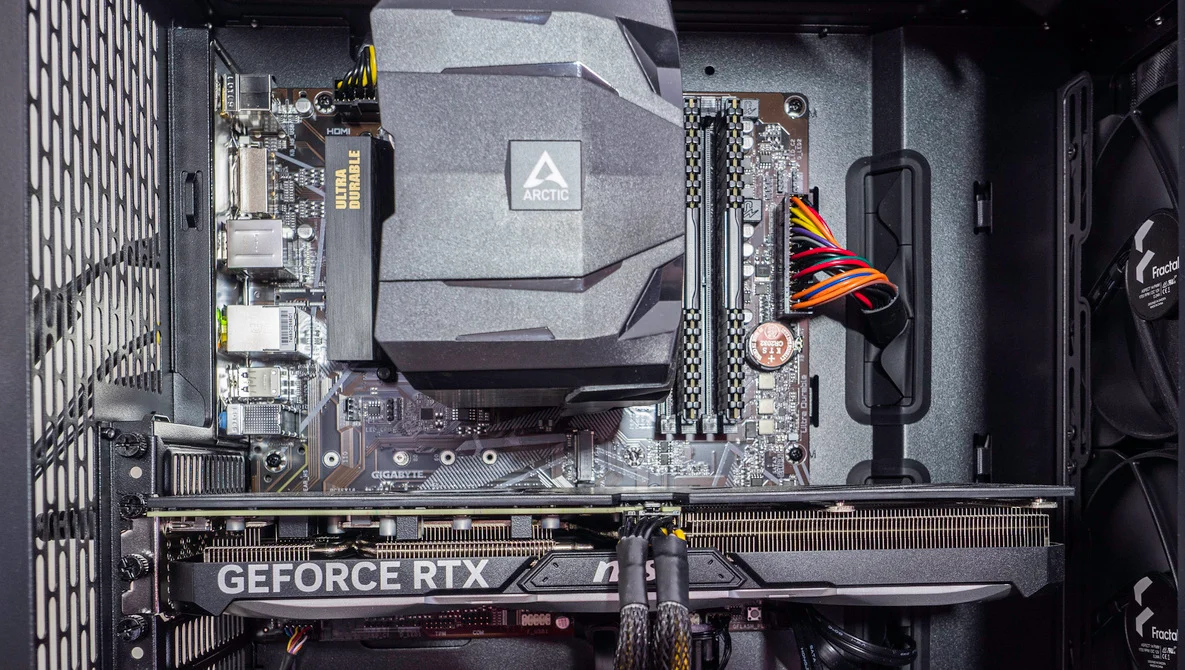
The author shares their experience upgrading their computer for photography and videography work. They considered building their own computer but opted for a pre-made machine due to time constraints. They chose an AMD Ryzen 7 5700X processor and a Gigabyte B550M DS3H motherboard for better value. The computer also included an Nvidia GeForce RTX 4070 graphics card and a Fractal North case. The new setup improved their workflow, with faster performance in programs like Lightroom and Photoshop. The author also discusses the environmental impact and plans to repurpose their old computer.

The Impact of Generative AI on Art and Design.

Originally Published 2 years ago — by CNET

Featured image for The Impact of Generative AI on Art and Design.
Source: CNET

Generative AI is being used to democratize 3D design and make art accessible to everyone. Companies like Midjourney and Adobe are using generative AI to create stunning 2D images from text prompts. 3DFY.ai's 3DFY Prompt app is an example of how generative AI can help someone create a base model that can later be improved on. While generative AI can automate mundane tasks and inspire artists, it won't replace true artistry anytime soon. The ethical use of generative art is still a concern, but setting guidelines early on can help steer the technology in the right direction.

Slack integrates AI capabilities for improved user experience.

Originally Published 2 years ago — by The Verge

Featured image for Slack integrates AI capabilities for improved user experience.
Source: The Verge

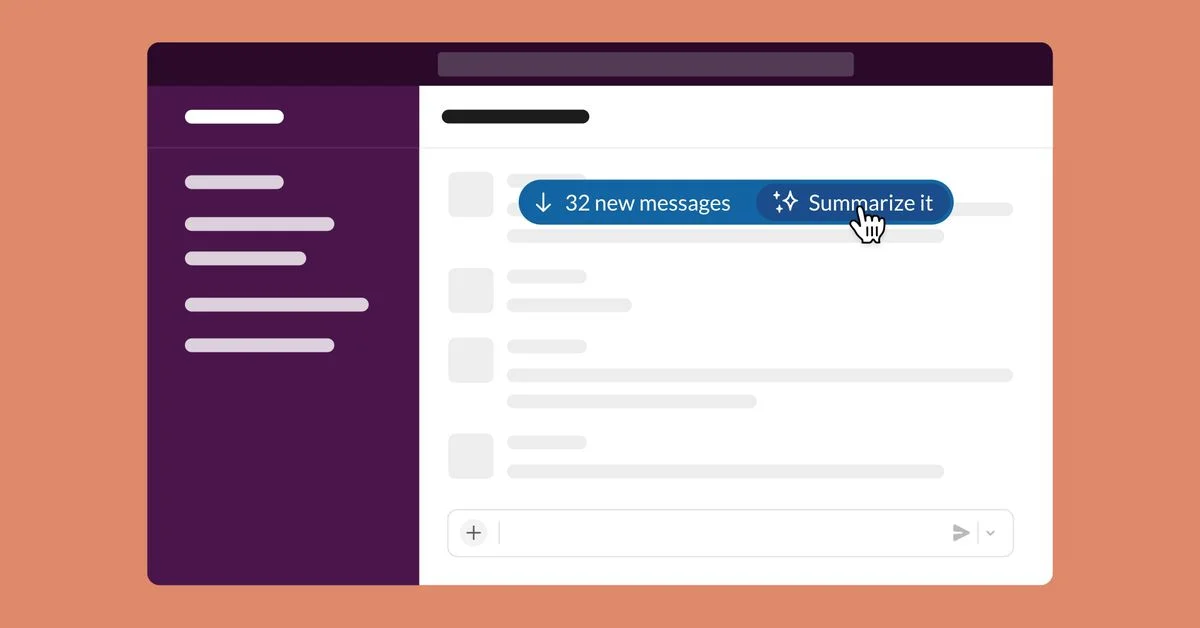
Slack GPT, a new generative AI experience, is being developed to provide natively integrated AI features, customizable automated workflows, and a dedicated Einstein GPT app for Slack. The AI features include directing the tone and length of messages and attending Huddles on behalf of users. The Workflow Builder will allow users to create custom workflows without any coding experience. The Einstein GPT app can access live customer information from trusted Salesforce Customer 360 data and the Data Cloud. No fixed release dates have been announced yet.

Google Docs, Sheets, and Slides get major search upgrade.

Originally Published 2 years ago — by How-To Geek

Featured image for Google Docs, Sheets, and Slides get major search upgrade.
Source: How-To Geek

Google Workspace tools such as Docs, Sheets, and Slides are getting a search bar that will allow users to look up commonly used features and tools, as well as specific instructions. This feature will make the suite easier to use for a wider range of people and save time in workflow. The search bar is rolling out to all users starting today, but it might take two to four weeks for it to roll out to everyone.

The Impact of Generative AI on Industries and Professions.

Originally Published 2 years ago — by Andreessen Horowitz

Featured image for The Impact of Generative AI on Industries and Professions.
Source: Andreessen Horowitz

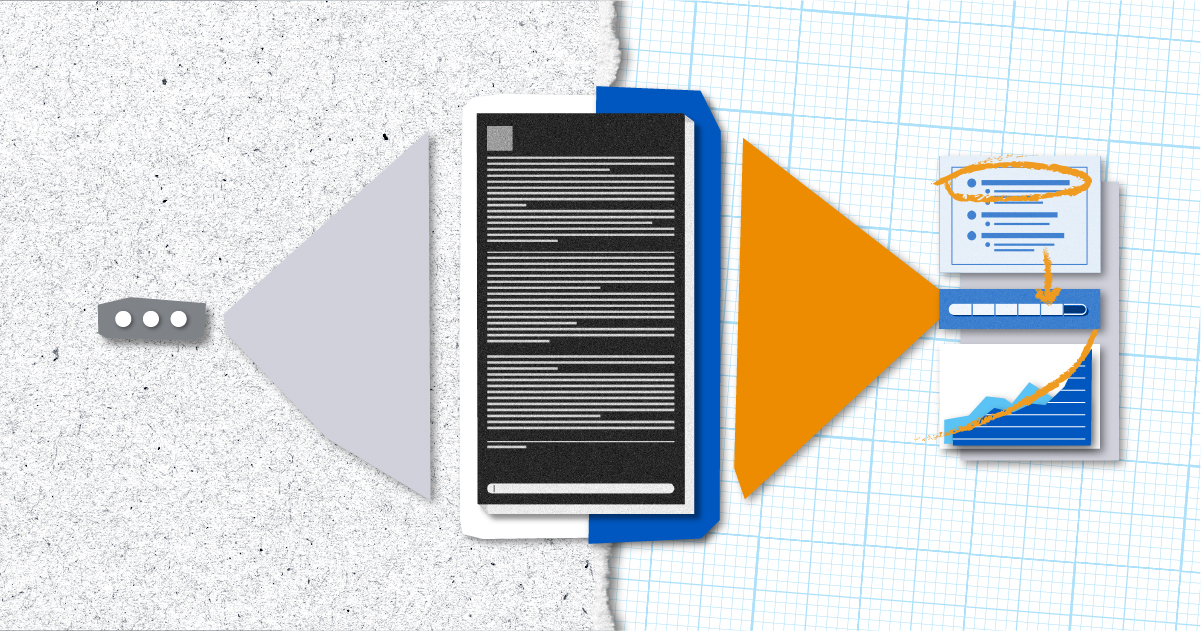
The next wave of generative AI applications for B2B use cases will focus on synthesis and analysis, rather than divergence of information. This shift will help improve the quality and speed of decision-making, rather than just generating more content. The battle among B2B solutions will be less focused on dazzling AI capabilities, and more focused on how these capabilities will help companies own (or redefine) valuable enterprise workflows.

Zoom's AI Upgrades Simplify Meeting Summaries and Management

Originally Published 2 years ago — by Gizmodo

Featured image for Zoom's AI Upgrades Simplify Meeting Summaries and Management
Source: Gizmodo

Zoom is collaborating with OpenAI to introduce an AI feature that expands on its current Zoom IQ capabilities by summarizing chat threads, organizing ideas, drafting content for chats, emails, and whiteboard sessions, creating meeting agendas, and more. The AI tool comes in handy as it sums up what information may have been missed, streamlining the workflow process throughout the day to ensure employees don’t miss any information in meetings and to assist managers by creating question prompts based on the topic and discussion. The video conferencing platform is rolling out the AI feature by invitation only to select customers in April.

Optimizing Your Camera's Settings for Better Photos

Originally Published 2 years ago — by Fstoppers

Featured image for Optimizing Your Camera's Settings for Better Photos
Source: Fstoppers

Photographer Jan Wegener shares some important camera settings that photographers should consider changing from their default to improve their workflow and image quality. One of the recommended settings is the highlight alert, which blinks to inform if any highlights are blown in a photo, making it easy to evaluate the quality of an exposure. This feature is especially useful on a mirrorless camera with image preview function enabled.