AI browsers are transforming web interaction by offering features like persistent side panels for research, custom skills for automation, and integrated AI assistants, but they also pose significant privacy and security risks that users should navigate cautiously.
Google is integrating Gems, customized instances of Gemini, into the Gmail, Drive, and Docs side panels to enhance productivity by providing tailored assistance for tasks like content creation, sales, and internal communication, with the ability to create personalized Gems grounded in uploaded files. The rollout is ongoing and aims to streamline workflows within Google Workspace.
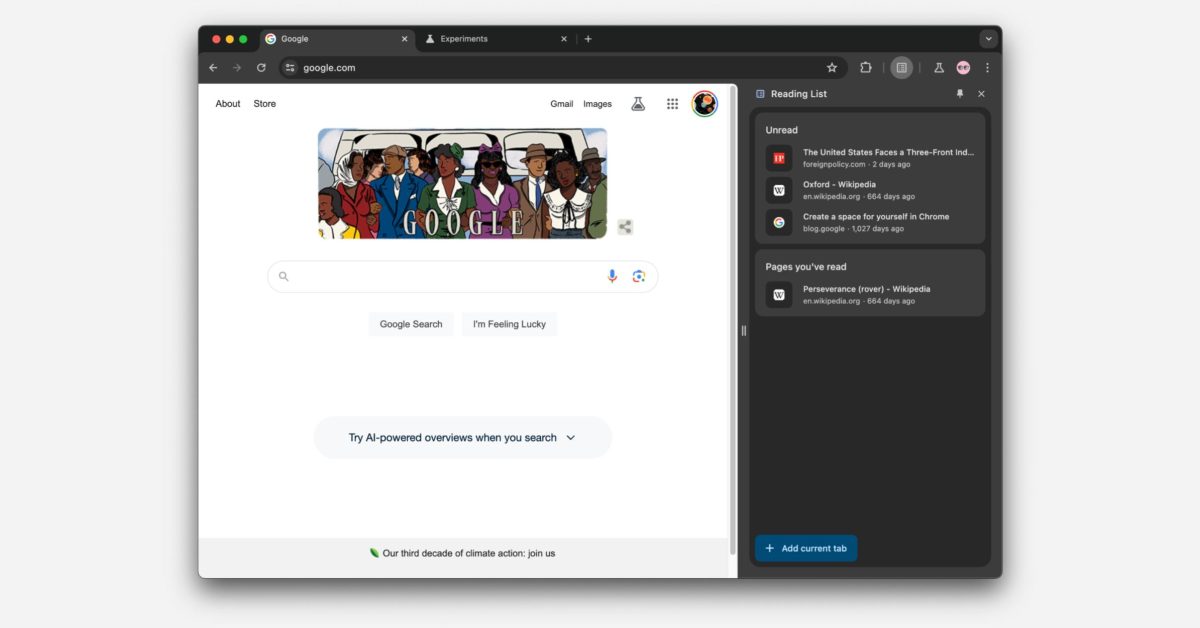
Google Chrome has removed the side panel button from its desktop version and replaced it with a new feature that allows users to pin the Bookmarks, Reading List, and History columns for easy access. The side panels, including Reading Mode and Search, remain available, and users can now pin the ones they use to a new partitioned section for immediate access. This change is part of a redesign that aims to streamline access to these features through the Chrome menu.
Google is planning to redesign the side panel in Chrome, aiming to eliminate the current icon for launching it and instead allow users to pin individual side panels with icons appearing to the right of the address bar. This update, available as a flag in Chrome 121 Beta, aims to provide more flexibility and faster access to desired side panels, such as Extensions, while allowing users to opt out of using side panels altogether if they prefer.