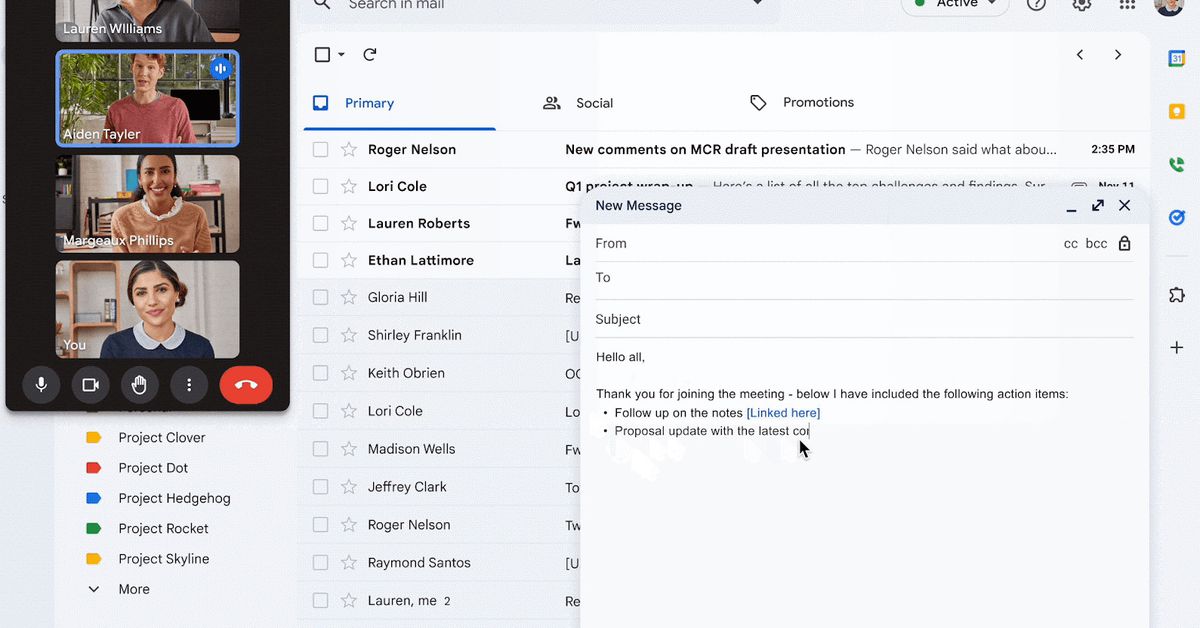
Google is introducing AI-powered features called Gemini in Chrome, which aim to simplify browsing tasks, manage tabs, and even handle agentic browsing for tasks like scheduling appointments. The features are gradually rolling out in the US, primarily for English users, with some useful tools for history searches and security. Overall, the updates are seen as reasonable and potentially useful, with Google showing restraint in its AI integration, making the enhancements promising for daily use.
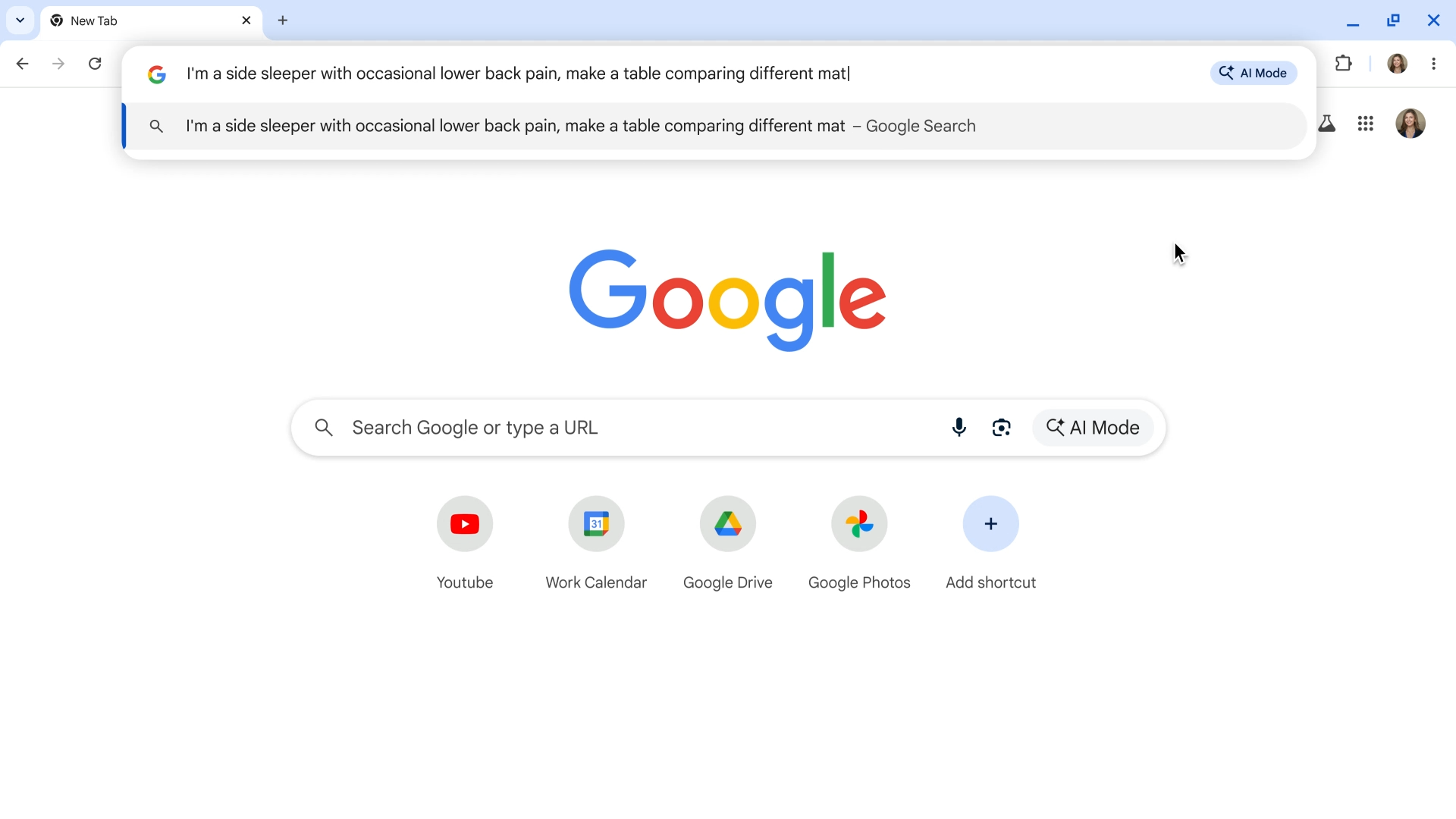
Google is introducing AI Mode to Chrome, allowing users to ask complex questions directly from the address bar and get AI-powered answers about web pages, with plans to expand globally and integrate more deeply into search.
The US Department of Justice is seeking to force Google to sell its Chrome browser to reduce its dominance in the internet search market, as part of broader antitrust actions. The DoJ, along with several US states, is also considering measures related to Google's AI and Android operations. This follows a court ruling that found Google violated antitrust laws. Google plans to challenge these actions, arguing they would harm consumers and technological progress. The case is reminiscent of the 1990s antitrust actions against Microsoft.
Google has settled a lawsuit by agreeing to delete billions of data records it compiled about millions of Chrome browser users, resolving claims that it had misled users by tracking their online activity in Chrome’s Incognito mode. As part of the settlement, Google will rewrite its disclosures to inform users about data collection in Incognito mode, maintain a change to Incognito mode that blocks third-party cookies by default for the next five years, and stop using technology that detects when users enable private browsing.
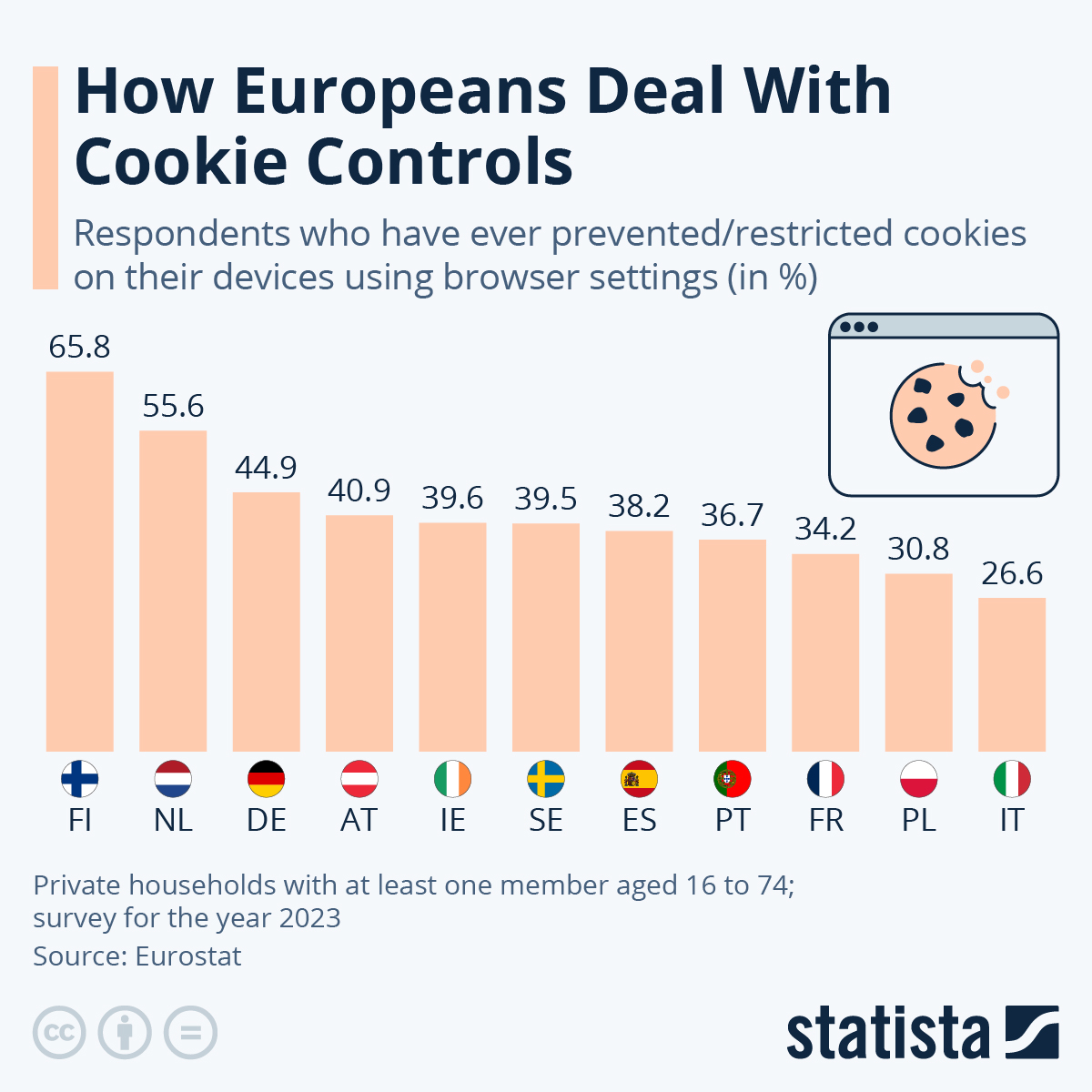
Google is introducing a new feature on its Chrome browser called Tracking Protection, allowing users to switch off third-party cookies and restrict data shared online for personalized advertising. A recent survey by Eurostat shows that cookie skepticism is particularly high in Finland, where around two thirds of respondents have tried preventing or restricting cookies using their browser settings, while in Italy, the figure is only around one in four. Google has already introduced tracking protection for one percent of all Chrome users worldwide, with plans to make the feature available to everyone in the second half of 2024.
Google has begun the process of phasing out third-party cookies on its Chrome browser, which will affect how ads track user behavior across the web. While this move is partly in response to privacy concerns, Google is simultaneously introducing its "privacy sandbox," a suite of tools designed to still allow for targeted advertising without revealing individual user identities. Other companies are also seeking alternatives to third-party cookies, indicating a significant shift in online advertising practices, though targeted ads will remain prevalent.
Google is planning to develop a feature called IP Protection for its Chrome browser, which aims to mask IP addresses through network proxies to enhance user privacy and limit cross-site tracking. The project, part of Google's Privacy Sandbox initiative, is similar to Apple's iCloud Private Relay service for Safari. The initial testing will involve a Google-owned proxy, followed by a two-hop proxy setup involving a third-party proxy server. The implementation timeline and details are yet to be finalized, and the feature is expected to be initially launched as an opt-in setting before becoming the default.
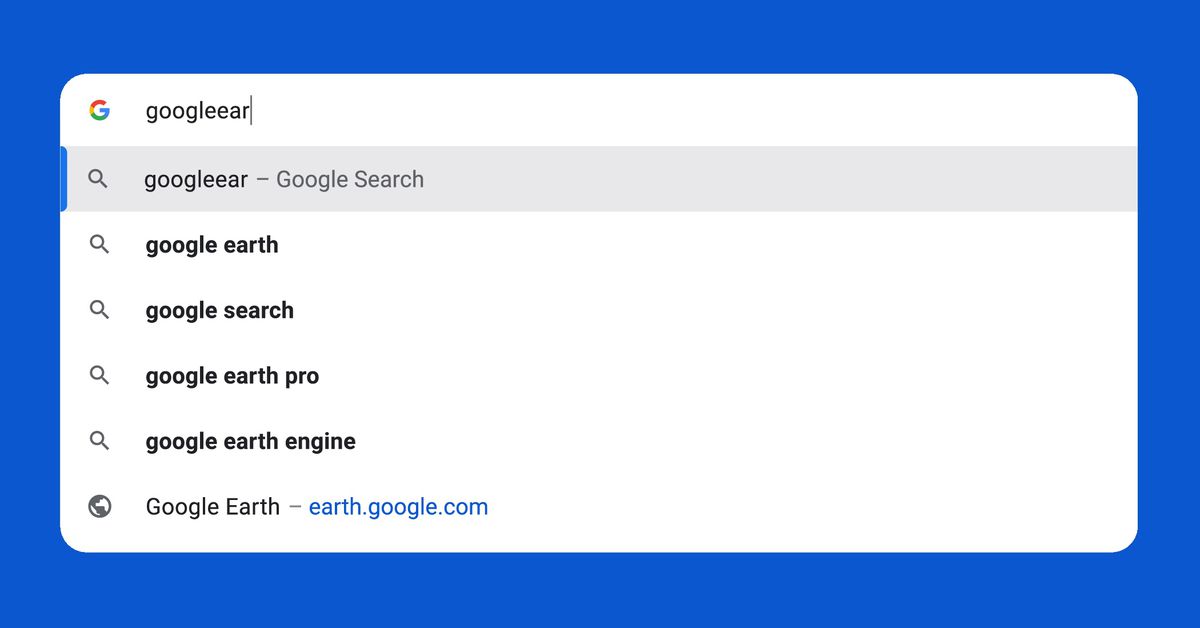
Google is introducing several changes to Chrome's search and address bar, known as the omnibox, to enhance web navigation. These changes include correcting URL typos, smarter autocomplete predictions based on keywords, searching within bookmarks, and displaying popular website URLs in suggestions. While these features improve user experience, they may lead to fewer Google searches. However, Google's recent antitrust lawsuit and the increasing cost of AI-powered search may make the company more open to such features. Additionally, Google is tweaking the visual layout of the omnibox for better readability and faster loading. The changes reflect the evolving nature of internet search and Google's efforts to maintain Chrome's dominance.
ChromeOS 116 introduces the new Lacros Chrome browser, which separates the browser from the operating system, allowing for future updates in-step with other desktop Chrome versions. The transition to Lacros in this update is seamless, with accounts and PWAs remaining intact. Users can enable Lacros by accessing specific flags in the Chrome browser settings. The move to Lacros is a significant development for ChromeOS, making the transition smoother and more integrated.
Google is introducing Lacros, a new version of the Chrome browser for Chromebooks, which will run on a custom Linux build of Chrome within ChromeOS. Lacros will allow for Chrome to be updated separately from ChromeOS, providing better security and longevity for Chromebooks. While Lacros is set to roll out with the next ChromeOS update, users can already try it out by enabling specific flags in the Chrome browser settings. The new Lacros browser offers a seamless experience with aesthetic and functional improvements, including a profile switcher. Beta testing methods for Lacros with general consumers may be introduced soon.
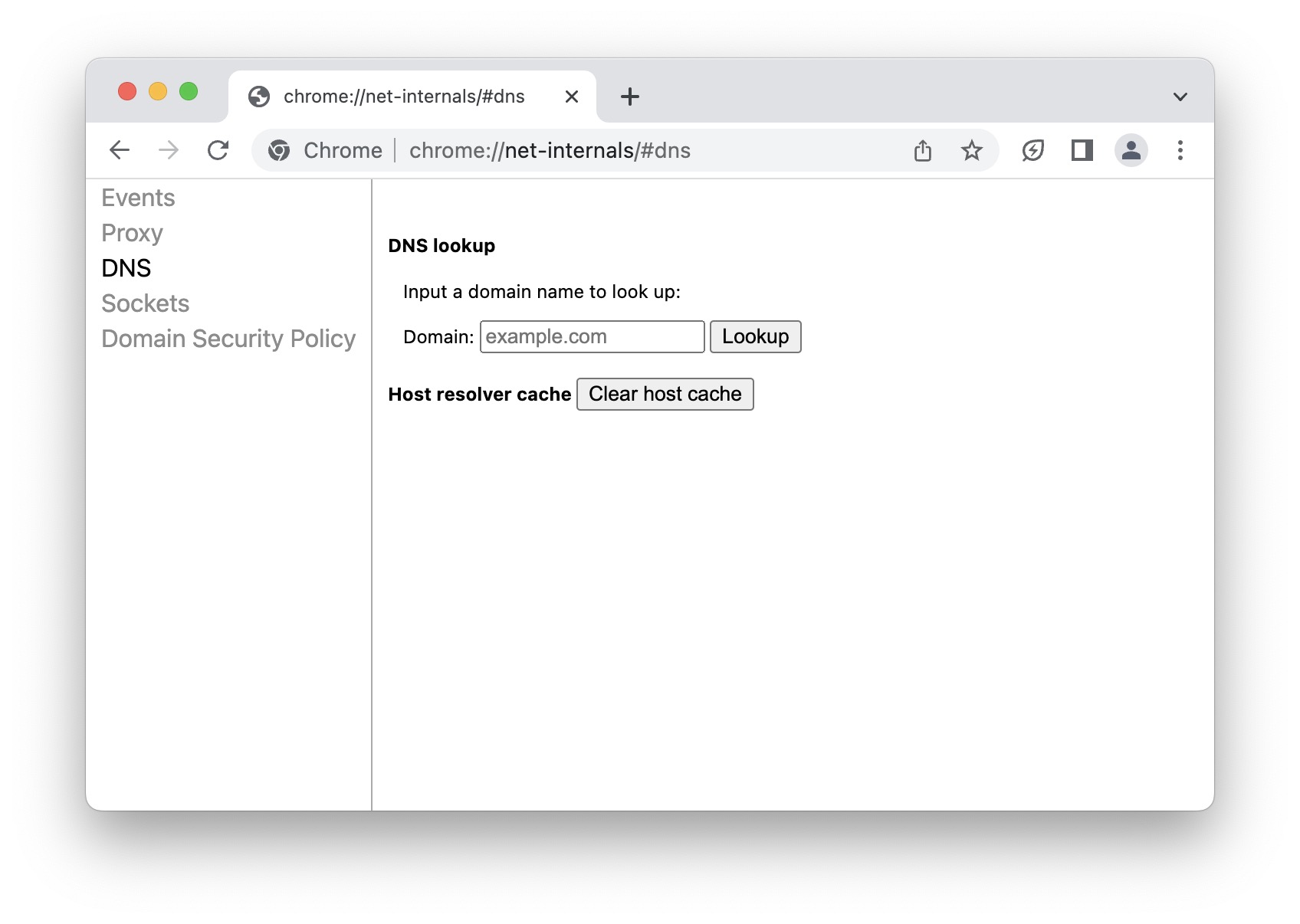
Chrome browser users can clear the browser's DNS cache directly within the browser itself, without affecting the DNS cache of the host computer or device. By accessing a hidden settings menu, users can easily clear the DNS cache specific to Chrome by following a few simple steps. This feature is particularly useful for web developers, designers, network administrators, and others who heavily rely on the Chrome browser for their work. However, it is important to note that this process only affects the Chrome browser and does not impact DNS settings elsewhere on the device or computer being used.
Google Meet's latest update for its Chrome browser offers a more capable picture-in-picture mode, allowing users to raise their hand, contribute to text chat, and turn captions on or off from the picture-in-picture view. The update also includes better support for resizing the window and more flexible layouts. The features will be rolling out to everyone over the next couple of weeks.
Google plans to phase out third-party cookies for 1% of Chrome users globally in Q1 2024 as part of its Privacy Sandbox initiative, which aims to limit covert tracking by eliminating the need for third-party cookies and cross-app identifiers while still serving relevant content and ads in a privacy-preserving manner. The company intends to completely turn off third-party cookies in Chrome in H2 2024, subject to stakeholder discussions, feedback, and testing. The project has been designed with regulatory oversight and input from the UK's Competition and Markets Authority to ensure that the proposals don't tilt the level playing field in Google's favor.
Google is introducing a Reading Mode to ChromeOS and the Chrome desktop browser, which reduces distracting elements on the screen to help users focus on a page's primary content. The feature is accessed from the browser's side panel and offers several fonts, text size adjustments, and background color options. Additionally, Google is updating its Screencast app to support new languages, animated clicks/taps, and a new web player for easy sharing. Cast Moderator will also receive updates, including the ability to pause the screen and switch tabs without ending the cast session.