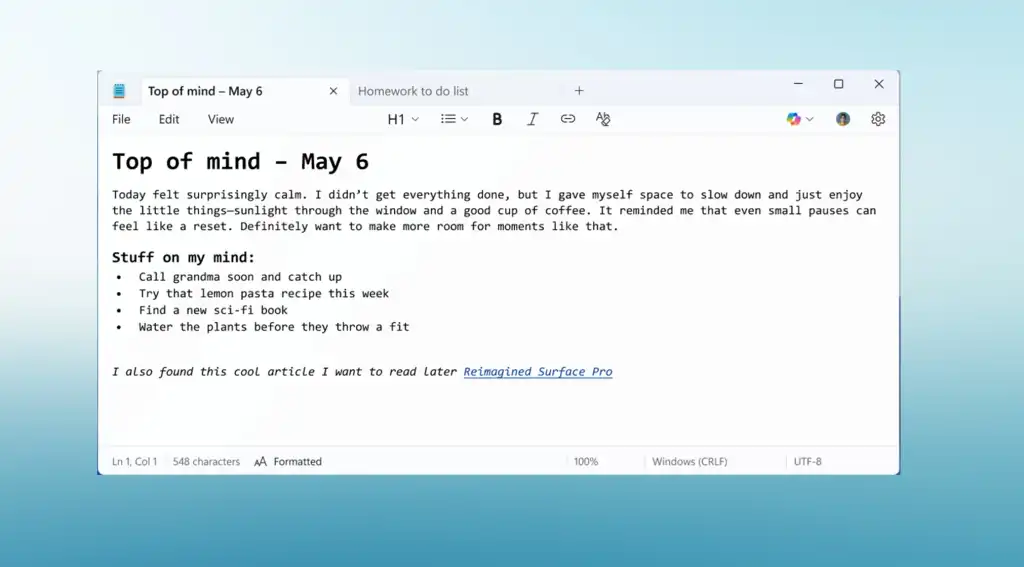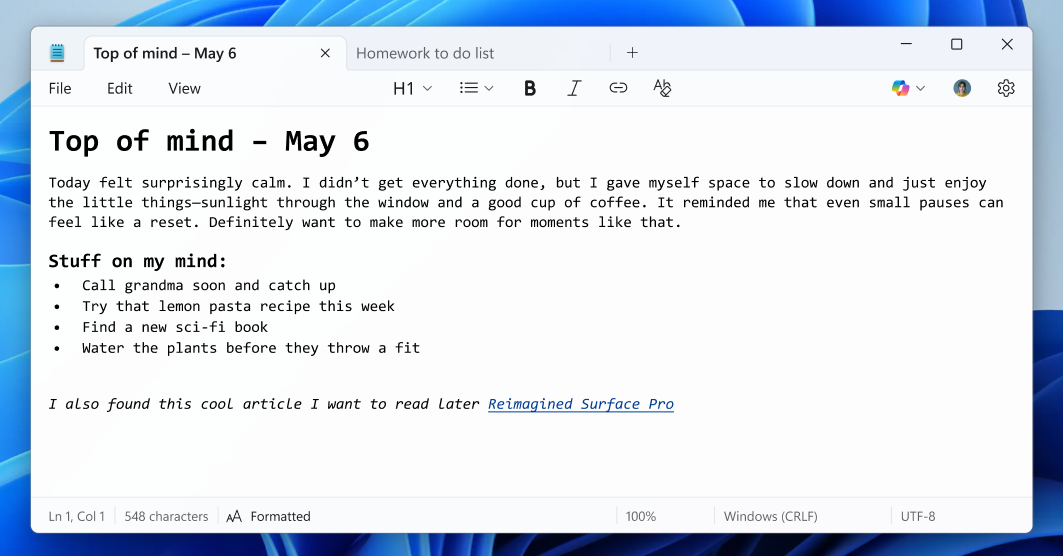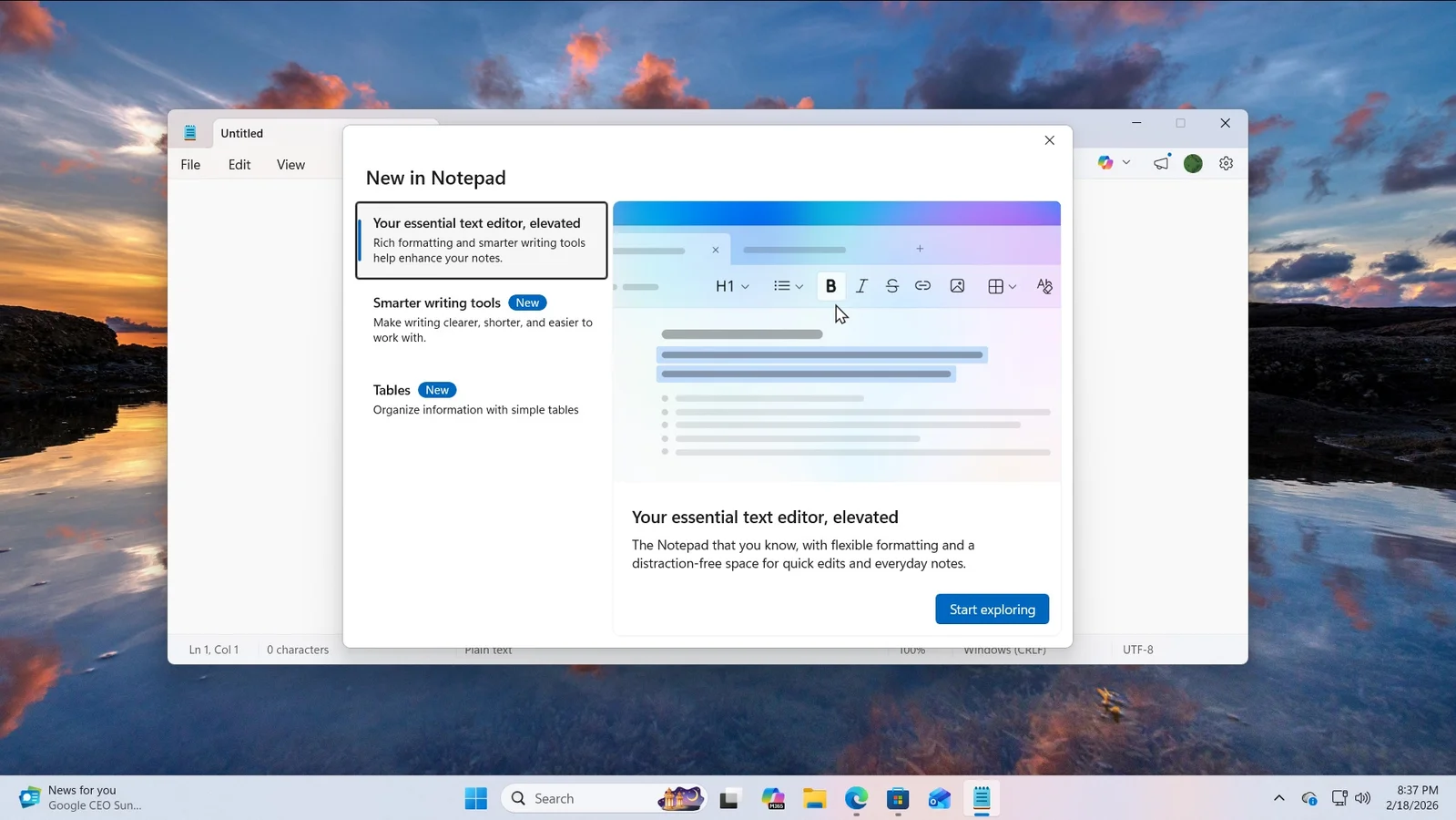
Microsoft has updated Notepad to include formatting options like bold, italics, hyperlinks, and Markdown support, sparking mixed reactions as it moves away from its traditional plain text simplicity. The update is currently in testing and can be disabled, but it raises concerns among users who valued Notepad's lightweight nature. The change follows the discontinuation of WordPad, leaving some questioning Microsoft's direction for basic text editing tools.
Microsoft is enhancing Notepad in Windows 11 with new lightweight formatting features, effectively replacing WordPad, which has been discontinued. The update includes markdown support, bold and italic fonts, and hyperlinks, aiming to provide a more versatile yet lightweight text editing experience, alongside the introduction of the open-source Edit app for command-line editing.
Microsoft has released a major update to Notepad for Windows 11, adding text formatting features such as bold, italic, hyperlinks, and Markdown support, along with a new formatting toolbar. The update also introduces an AI-powered writing feature, making Notepad more versatile and similar to Word. The new features are available for testing in the Canary and Dev Channels.
Microsoft has updated its Notepad app for Windows 11 with a new generative AI feature called Rewrite, which allows users to adjust the length, tone, and phrasing of text. This update, currently in preview for Windows Insiders, uses cloud processing and requires a Microsoft account. Additionally, the update promises significant improvements in app launch times, with some users experiencing over a 35% increase in speed.
The Notepad++ project is seeking help to shut down a copycat website, notepad[.]plus, that closely impersonates Notepad++ and poses potential security threats. Despite redirecting to the official downloads page, the lookalike site is accused of harboring malicious advertisements and diverting traffic from the legitimate Notepad++ website. While some community members dispute the risks posed by the unofficial site, the project urges users to obtain Notepad++ from its official website to ensure safety.
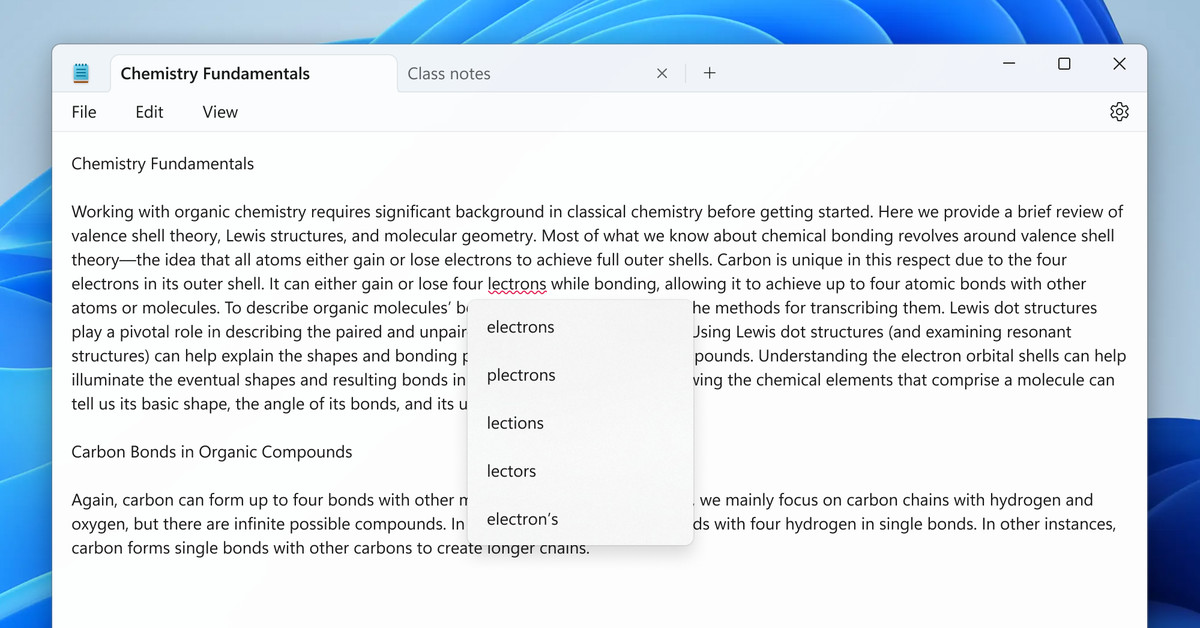
Microsoft has announced a preview release of Windows Notepad with built-in spellchecking and autocorrect features, marking a significant update for the long-neglected text editor. The update, currently available to Windows 11 Insiders, will highlight misspelled words and provide suggestions, as well as seamlessly fix common typing mistakes. Additionally, users can control settings for specific file types and ignore words in individual documents, with the autocorrect feature making automatic grammar and punctuation changes.
Microsoft is introducing a spellcheck feature to its Notepad app on Windows 11, allowing users to easily identify and correct misspelled words with suggestions and autocorrect. The feature will support multiple languages and can be toggled on or off for different file types. This addition follows a series of recent improvements to Notepad, including a character count, autosave option, dark mode, tabs, and AI integration.
Microsoft is integrating its Copilot AI into the Notepad application, allowing users to access explanations for highlighted text by hitting Ctrl + E or selecting "Explain with Copilot." The update is currently being tested with Windows Insiders and may eventually become available to the public. This move reflects Microsoft's ongoing focus on infusing AI into its products, with the company also introducing the ability to add shapes to captures in the Windows Snipping Tool alongside the Notepad update.
Microsoft is integrating its AI-powered Copilot into the Notepad app on Windows 11, allowing users to analyze and break down highlighted text. This new "Explain with Copilot" feature is available for testing by Windows Insider members and marks the first instance of Microsoft integrating Windows Copilot into in-box apps. Additionally, a leaked preview suggests that Microsoft is also working on bringing its AI-powered Cowriter to Notepad, enabling it to write entire text documents based on user criteria.
Microsoft is reportedly preparing to introduce a new generative AI feature called "Cowriter" to its Notepad application in Windows 11, as indicated by code found in the latest test builds. The feature may use a credit system similar to that of Microsoft's Cocreator in Paint, potentially leading to future charges once credits are depleted. This move reflects Microsoft's broader push towards integrating AI capabilities into its Windows apps, although some users express a preference for meaningful improvements over AI features.
Microsoft is planning to add an AI-powered "Cowriter" feature to the Notepad app on Windows 11, allowing users to rewrite text, adjust length, and change tone or format. This is part of a broader effort to integrate AI across the Windows OS, with upcoming features such as AI-powered Windows Search and Super Resolution for video games. The AI features in Notepad are still in early stages but are expected to be implemented similarly to AI in Paint, requiring a Microsoft account. This move aligns with Microsoft's goal of making 2024 the era of the AI PC, with plans to incorporate AI into various Windows and Office services.
A malvertising campaign targeting users searching for the popular Notepad++ text editor has been active for several months, evading detection. The campaign utilizes Google Ads to promote fake software websites that distribute malware. The final payload is believed to be Cobalt Strike, which often precedes ransomware attacks. The campaign tricks users with misleading titles in Google Search result advertisements, redirecting them to a decoy site or a malicious website that mimics the real Notepad++ site. Victims who meet certain criteria are served an HTA script, likely enabling the attackers to track their infections. To avoid downloading malware, users are advised to skip promoted results on Google Search and verify the official domain of the software they are looking for.
Valve has introduced a new Notes app in the Steam Beta that automatically pops up the correct file that corresponds to each game you play, can be overlaid on top of your game, and automatically syncs from PC to PC via the cloud. The update also includes a revamped notifications tab, screenshot manager, and optional hardware acceleration for the Linux version of Steam. These changes will be rolled out across Steam Desktop, Big Picture Mode, and Steam Deck simultaneously.