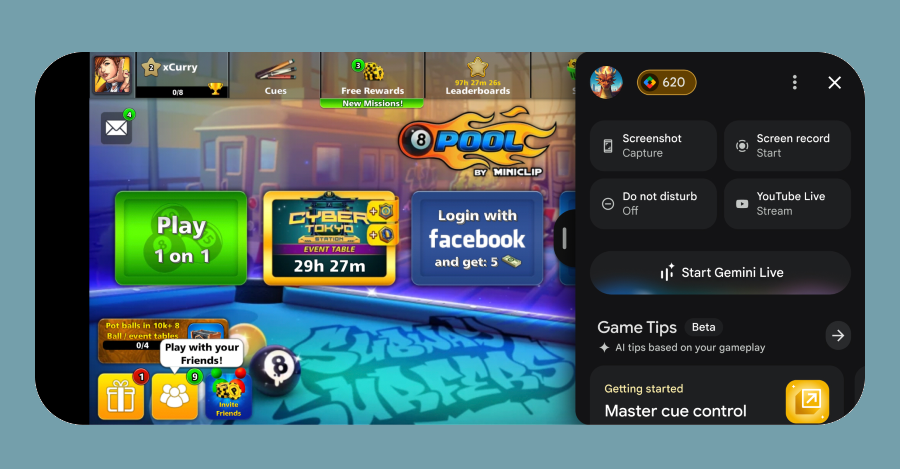
Google is introducing Gemini AI integration within a new in-game overlay for select mobile games, allowing players to ask for hints and receive tailored assistance without leaving the game. The feature, similar to Microsoft's Gaming Copilot, will also provide details about rewards and achievements, and is part of Google's broader effort to expand Google Play Games to PC and enhance the gaming experience on its platform.
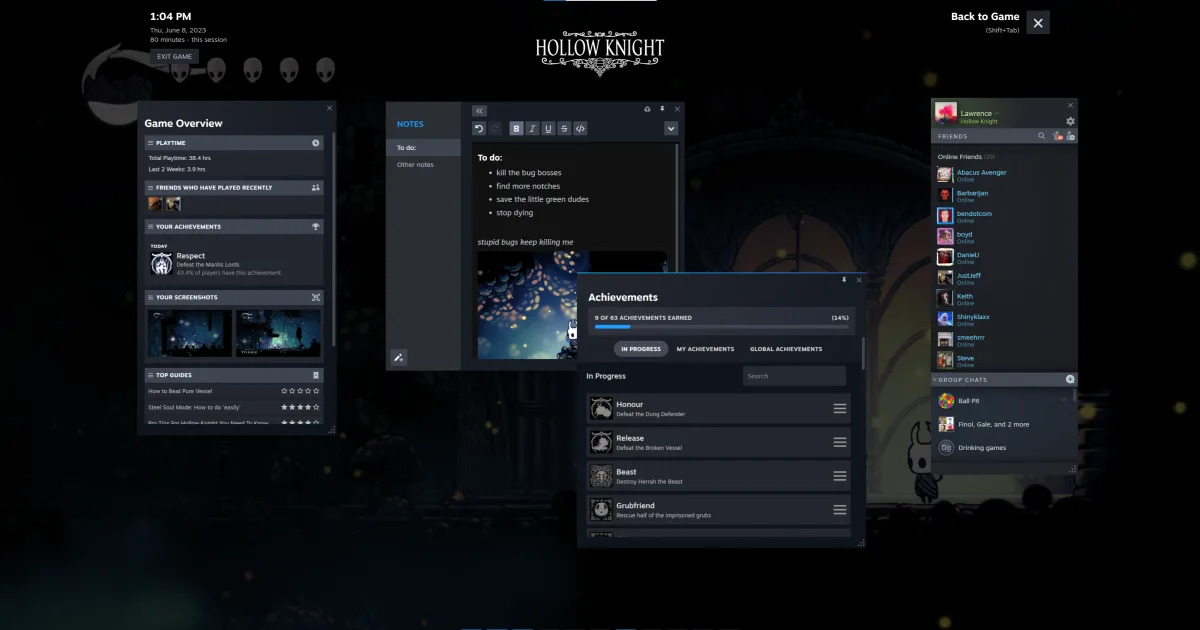
Steam's latest client update includes a redesigned in-game overlay with new features, a notes function, pinnable in-game windows, and improvements to notifications. The update also brings visual and usability improvements, including a fresh coat of paint to the UI. The ability to pin windows from the overlay is ideal for multi-tasking while gaming, and notes can be saved per game and synced to other PCs. Mac and Linux users will also see improved hardware acceleration.
Valve has released a major update for the Steam desktop client, featuring updated fonts and menus, a revised notification system, and a redesigned in-game overlay. The platform has been rebuilt with an all-new framework designed to help features ship simultaneously across all versions of Steam. The update also includes hardware acceleration for Mac and Linux users, offering a smoother experience across all platforms. The legacy Steam Big Picture mode may also be coming to an end.
Steam has released an update that improves its notification system, in-game overlay, and visuals. The notification system has been updated to only show new notifications, with a "View all" page for historical view. The in-game overlay has been completely redesigned, with elements that can be pinned and a new notes section. The update is rolling out now.
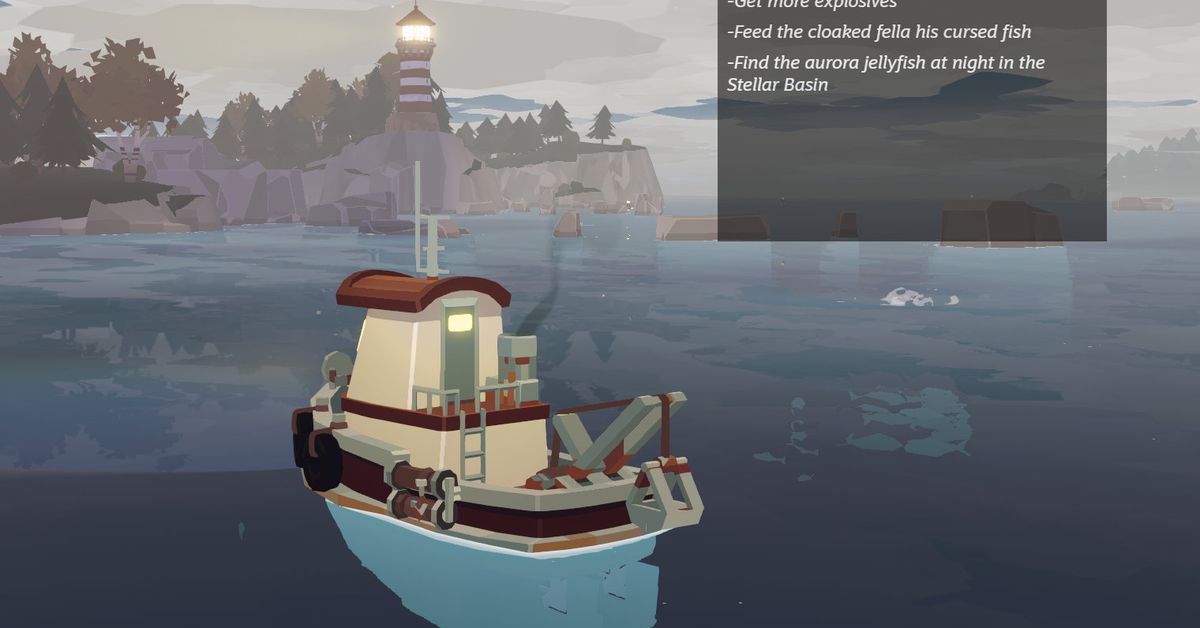
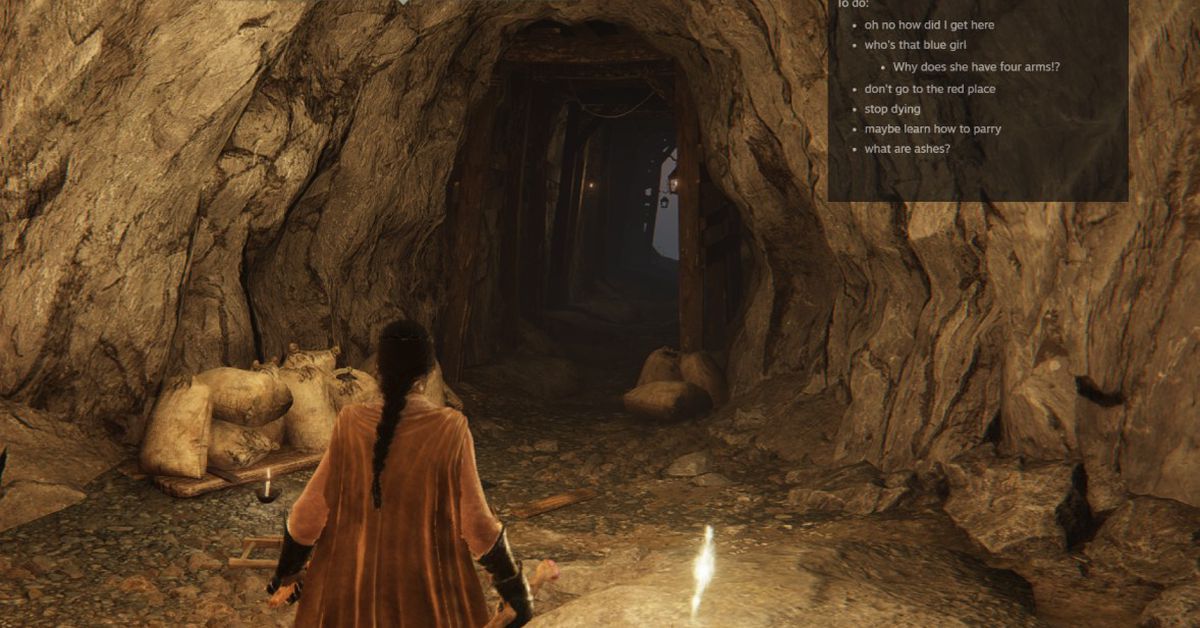
Valve's new beta for the Steam client on PC added a Notes app, which is an overlay that can hover on your in-game window and store new notes on a per-game basis. The notes are synced across PCs that you're logged into, even when you're in offline mode. The new feature is great for jotting down to-do lists, safe codes, skill tree upgrades, and prioritizing relationships or activities in games. The Steam update also lets you pin game guides, Discussions forum, or a full web browser to your game window.
Steam is getting a new update that overhauls the in-game overlay, allowing users to access several features without having to close out their game. The update includes a customizable toolbar, a "one-stop shop" for each game in your library, and a Notes app for in-game to-do lists. Other changes include streamlining the notifications menu and allowing users to change thumbnail sizes in the screenshot manager. The update is currently available through the Steam Client Beta for testing, with no date yet for general release.
The latest Steam client update introduces a new Notes app, improved navigation, and a pin feature that allows players to watch movies or TV shows while gaming. The update also includes an overhauled in-game overlay with new utilities and customization options, an improved screenshot manager, and a more useful notifications tab. The Notes app comes with text formatting and opacity level and can be used to note down anything, including to-do lists, which can be viewed while playing the game.
Steam's latest update includes an integrated Notes app as part of a re-vamped in-game overlay tool, allowing users to write thoughts and tasks down about the game they're playing. The update also includes a revamped toolbar and overview, cleaned-up notifications, and improved screenshot features. These features are only available through the Steam Client Beta at the moment.
Valve has introduced a new Notes app in the Steam Beta that automatically pops up the correct file that corresponds to each game you play, can be overlaid on top of your game, and automatically syncs from PC to PC via the cloud. The update also includes a revamped notifications tab, screenshot manager, and optional hardware acceleration for the Linux version of Steam. These changes will be rolled out across Steam Desktop, Big Picture Mode, and Steam Deck simultaneously.