Tag

Voice Isolation

All articles tagged with #voice isolation

technology1 year ago

"Revolutionizing iPhone Calls: The Game-Changing Apple iOS Feature"

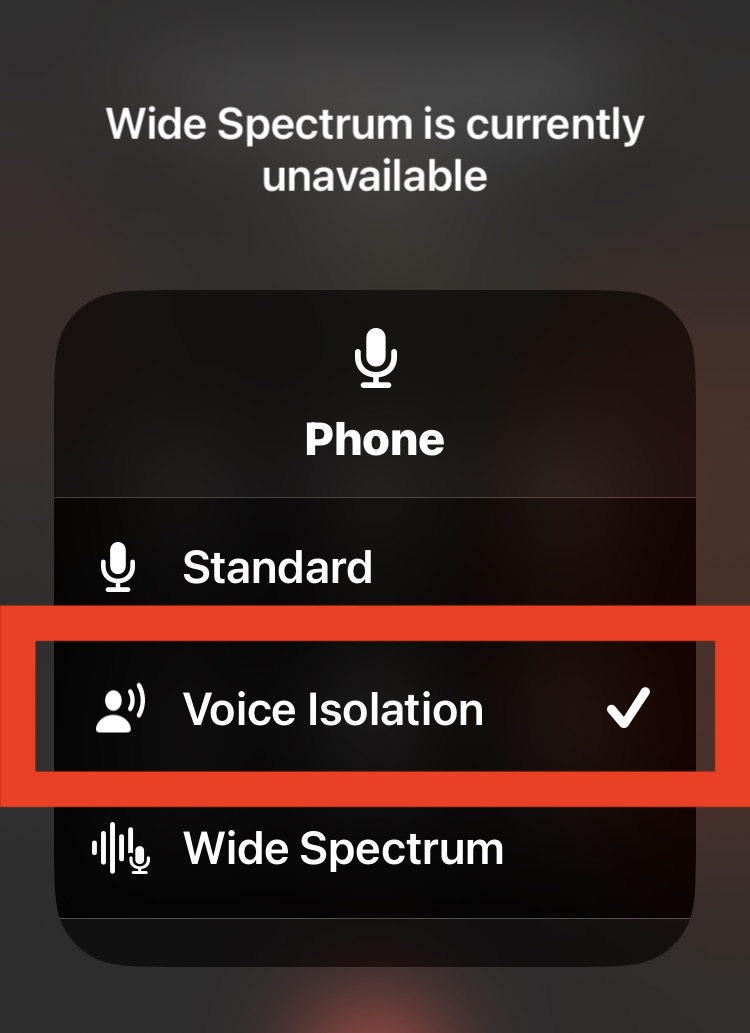
Apple's iOS 16.4 update introduced Voice Isolation for phone calls, muffling background noises to improve call quality, and Wide Spectrum for FaceTime calls. Voice Isolation can be activated during a call by accessing the Control Center and tapping on Mic Mode, while Wide Spectrum amplifies background sounds for FaceTime calls. Currently, Wide Spectrum is not available for phone calls, but it may become an option in the future.

technology2 years ago

"OrCam Hear: A Game-Changing Voice Isolation Platform for Hearing Loss"

OrCam Hear is a new platform designed to help people with hearing loss deal with auditory overload in noisy environments. It consists of earbuds, a dongle, and an app that uses AI to create speaker profiles, allowing users to selectively isolate specific voices. During a hands-on demo at CES 2024, the system effectively reduced background noise and allowed the user to focus on selected speakers, even recognizing new participants. While not perfect, with some audio delay and distortion, OrCam Hear shows promise and is expected to be shipped later in the year.

technology2 years ago

"Discover the Life-Changing AirPod Hack for Crystal Clear Outdoor Calls"

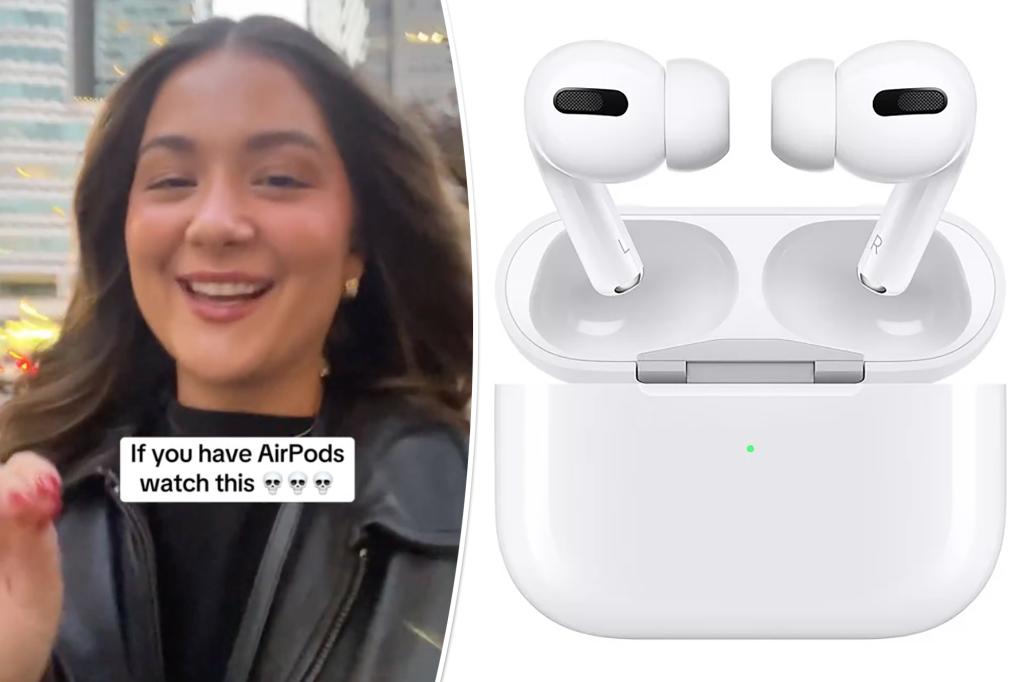
A TikTok video by Apple customer Caitlin Emiko revealed a little-known voice isolation feature on AirPods Pro that filters out background noise during calls, which many viewers called a "game changer." Emiko demonstrated the feature and explained how to activate it, while Apple described it as prioritizing the user's voice and blocking ambient noises. The hack is exclusive to the AirPods Pro model.

technology2 years ago

"Microsoft Teams Introduces AI-Powered Webcam Cleanup and Decoration Feature"

Microsoft Teams has introduced a new "decorate your background" feature that uses generative AI to clear clutter and add decor to your background during video calls. The AI can create objects like string lights and plants. Additionally, Teams is adding a voice isolation feature that filters out background noise to ensure clear communication. These enhancements are part of Microsoft's Copilot AI initiative, which includes real-time notes and transcriptions during meetings. The "decorate your background" tool will be available on Teams Premium in 2024.

technology2 years ago

"Microsoft Teams Unveils AI-Powered Webcam Background Cleanup and Decoration"

Microsoft Teams is introducing two new AI-powered features to enhance video calls. The "decorate your background" feature uses generative AI effects to clean up and replace clutter in the background, while the voice isolation feature suppresses other noises to ensure only the speaker's voice is heard. These additions aim to improve the overall video and audio quality in Teams meetings.

technology2 years ago

"Upgrade Your iPhone Call Quality with Voice Isolation: Here's How"

Apple's new Voice Isolation feature, available on iOS 16.4, uses machine learning to block ambient sound during phone calls, making your voice sound clearer and crisper. To turn it on, go to Control Center during a call and select Voice Isolation from the mic settings. The feature is also available on third-party apps like WhatsApp and Instagram. Older iPhone models may not support Voice Isolation due to their lack of a dedicated Neural Engine for machine learning tasks.

technology2 years ago

Clearer phone calls with Voice Isolation.

Apple's latest iOS 16.4.1 update introduces the Voice Isolation feature for FaceTime and regular phone calls. This feature uses advanced machine learning technology to filter out background noise and prioritize the user's voice, delivering clear and crisp audio to the other end of the line. To activate Voice Isolation, simply start a regular audio phone call, pull down the Control Center, tap the Mic Mode button, and select Voice Isolation. Apple's Wide Spectrum feature, which captures every sound in the environment, is currently available for FaceTime only. With Voice Isolation and the potential for Wide Spectrum to come to regular phone calls, Apple is making communication easier and clearer than ever before.

technology2 years ago

"Urgent Update: iOS 16.4.1 Fixes Critical iPhone Exploits"

iOS 16.4 brings 31 new emoji, Voice Isolation for cellular calls, easy duplicate photo detection in shared albums, support for PlayStation 5 controller, and updates to Apple Books, Music, and Podcasts. It also adds new accessibility options, new keyboards, Siri voices, and language updates. The update includes bug fixes and enhancements, such as dimming flashing lights and detecting Matter-compatible thermostats.

technology2 years ago

"Maximizing Your iPhone Experience: Tips and Tricks for iOS 16.4 and Beyond"

Apple's latest iPhone update, iOS 16.4, is now available to download and comes with new features such as 31 new emoji, voice isolation for cellular calls, and the ability to easily find photo duplicates across shared albums. The update also adds support for the PlayStation 5 DualSense Edge Wireless Controller, brings back the page-turn curl animation in Apple Books, and adds new accessibility options. Additionally, the update includes bug and security fixes, and users can now check which devices are covered under their AppleCare plan.

technology2 years ago

"Maximize Your iPhone Experience with iOS 16.4's Hidden Gems"

Apple's latest iOS 16.4 software update for iPhone includes new emoji, voice isolation feature, Safari-based push notifications, duplicates album support for the iCloud Shared Photo Library, crash-detection optimizations for the iPhone 14 series, VoiceOver support for maps in the Weather app, bug fixes, and security updates. To download and install iOS 16.4, make sure your iPhone is compatible, backed up, connected to power and Wi-Fi, and has enough storage space. Go to Settings > General > Software Update, wait for the update to appear, and hit Download and Install.

technology2 years ago

"Maximizing iPhone Call Quality: Hidden Features and Tips"

Apple has introduced a new feature called Voice Isolation to iPhone cellular calls that prioritizes the sound of the user's voice over other sounds in the surrounding environment. To enable this feature, users must be on an active cellular phone call and swipe down from the top right corner to open Control Center on iPhone, then tap on the Mic Mode button and choose "Voice Isolation" from the available options. This feature is available on iOS 16.4 or newer and can help to improve the clarity of voice communication on iPhone calls and reduce other sound distractions from the environment.

technology2 years ago

"Upgrade Your iPhone Call Quality with These Simple Tips"

Apple's latest software update, iOS 16.4, includes a new feature called Voice Isolation that blocks out ambient noise during cellular calls to prioritize the quality of your voice. The feature can be activated via the Control Center during a phone call by swiping down from the top right of the iPhone screen and tapping Mic Mode then Voice Isolation. Other features introduced with iOS 16.4 include push notifications for web apps, new emojis, an improved Podcasts app, and bug fixes for Apple HomeKit.

technology2 years ago

"Maximize Your iPhone Experience with iOS 16.4: New Features and Tips"

Apple's latest iPhone update, iOS 16.4, is now available to download and comes with bug and security fixes, as well as new features such as 31 new emoji, voice isolation for cellular calls, and the ability to easily find photo duplicates across shared albums. The update also adds support for the PlayStation 5 DualSense Edge Wireless Controller, new accessibility options, and new Siri voices for Arabic and Hebrew. Additionally, the update includes enhancements and bug fixes, such as notifications for web apps added to the Home Screen and VoiceOver support for maps in the Weather app.