Google Wallet will soon introduce a feature allowing users to scan and store digital copies of various text-only documents and passes, including passports and student IDs. This feature, which requires local data processing and may involve biometric authentication for sensitive documents, is expected to roll out in a future update.

Adobe has released an artificial intelligence assistant to help users understand digital documents, with monthly subscriptions starting at $4.99. The tool, available in beta for mobile and as extensions on Microsoft Edge and Google Chrome, uses a chatbot interface to locate specific information, generate summaries, and provide citations drawn from the text. Adobe plans to expand the assistant's ability to support users working with multiple documents at once.
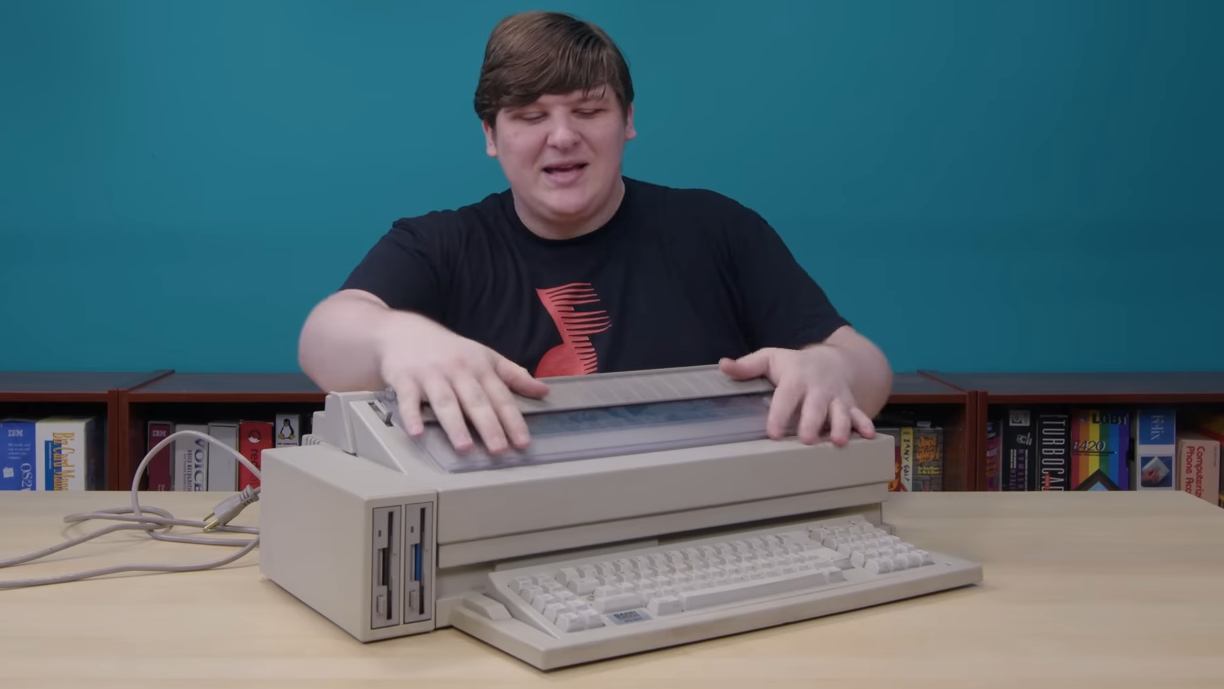
Cathode Ray Dude explores the Olivetti ETV 2700, an old-school word processor that combines x86-based hardware with an electric typewriter. Unlike modern WYSIWYG word processors, the ETV 2700 required manual loading of pages and hammered out characters one at a time using a daisy wheel and ink ribbon. While the machine internally runs on an x86 processor and boots MS-DOS, its keyboard layout and lack of graphical output make it unique. The durability of these devices has allowed for AI-enabled typewriter projects and the porting of vintage operating systems.
You can turn your smartphone camera into a portable scanner and go paperless by following a few simple steps. For iPhone users, open the Notes app, select the camera button, and tap "Scan documents." For Android users, download the Google Drive app, tap the plus button, and select "Scan." Make sure to use good lighting and a contrasting background for the best results. Once scanned, the documents can be saved as PDFs and easily shared via email or text message.