Tag

Screen Distance

All articles tagged with #screen distance

technology1 year ago

Unlock This Essential Hidden iPhone Display Feature

The iPhone's iOS 17 includes a hidden feature called Screen Distance, designed to reduce eye strain by warning users when they hold their phone too close to their face. To activate it, go to Settings, navigate to Screen Time, and turn on Screen Distance. While useful for maintaining a safe distance, it may be annoying for those who prefer to hold their phone close, especially in certain situations.
technology2 years ago

"iPhone Screen Distance: Protecting Eyes and Reducing Eye Strain"

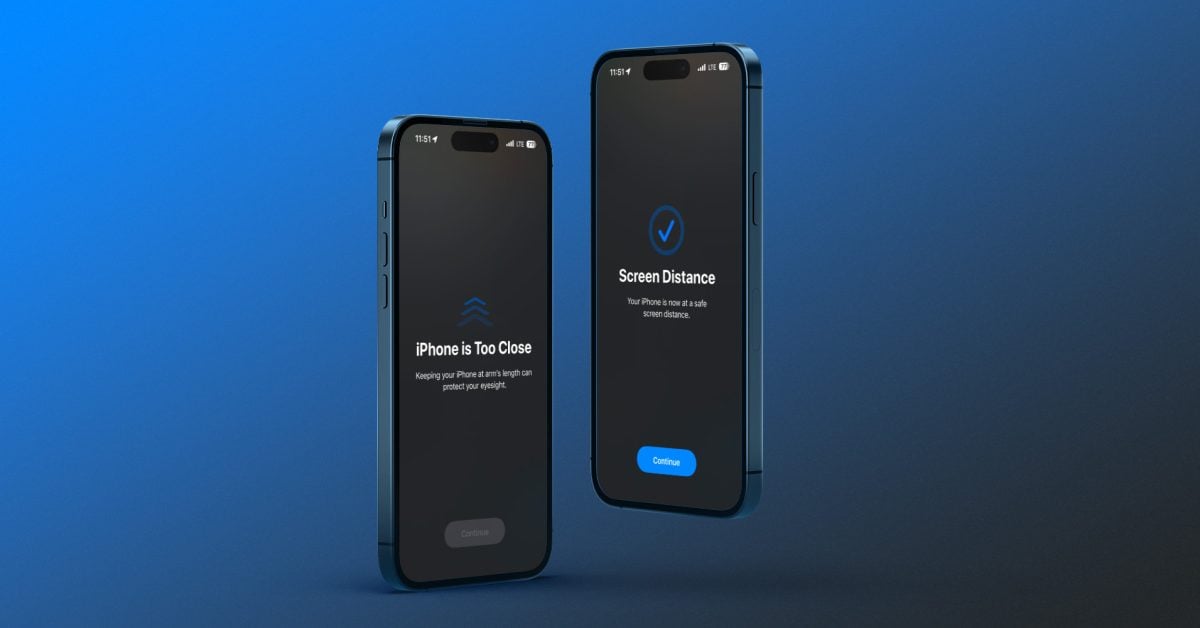
Apple's new health feature, Screen Distance, available on iOS 17 and iPadOS 17, helps prevent eye strain and reduce the risk of myopia by encouraging users to keep their devices at least 12 inches away from their eyes. The feature measures the distance between the screen and the user's eyes, and the data collected remains on the device and is not shared with Apple. Users can enable Screen Distance in the Settings app under Screen Time.

technology2 years ago

"Protect Your Eyes and Enhance Privacy with iPhone Screen Distance and Unique Search Engine in iOS 17"

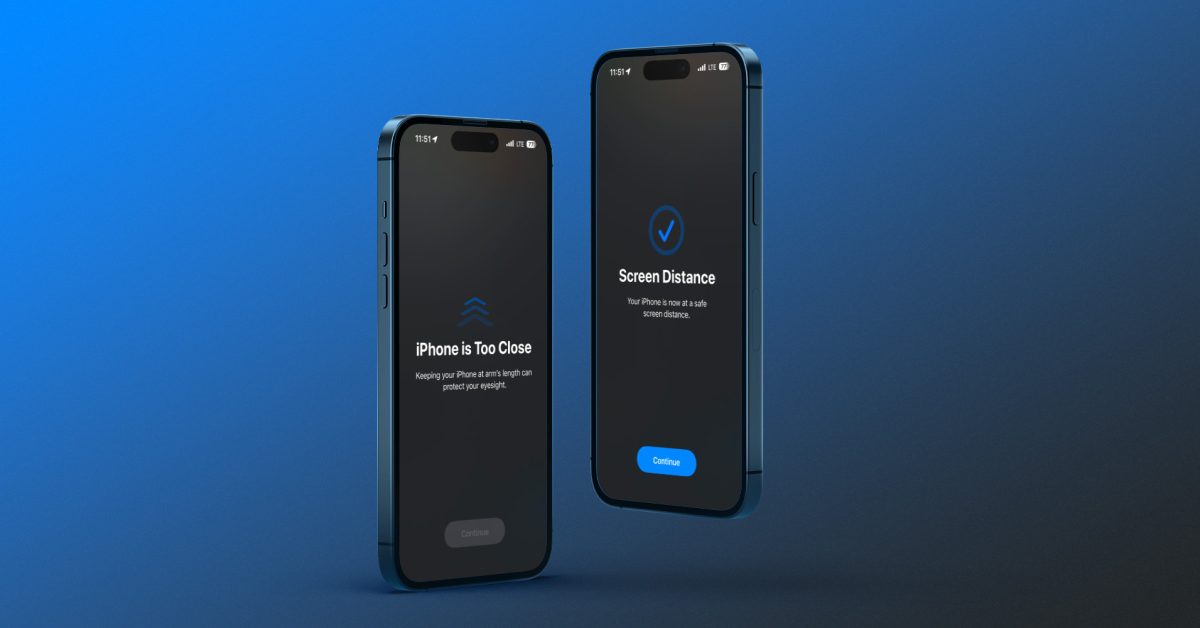
Apple's new health feature, Screen Distance, available on iOS 17 and iPadOS 17, helps prevent eye strain and reduce the risk of myopia by encouraging users to keep their devices at least 12 inches away from their eyes. The feature measures the distance between the screen and the user's eyes, and the data collected remains on the device and is not shared with Apple. Users can enable Screen Distance in the Settings app under Screen Time. The feature provides a pop-up warning when the device is held too close and encourages users to maintain a healthy distance.

technology2 years ago

"Apple's iOS 17 Introduces Screen Distance for Eye Protection"

Apple's upcoming iOS 17 introduces a new feature called Screen Distance, aimed at protecting users' eyes, particularly children, from the risk of myopia caused by holding screens too close. The feature uses the TrueDepth camera on iPhones and iPads with Face ID to check if the device is held at least 12 inches away from the eyes. If the device is held too close for an extended period, a warning appears on the screen, preventing further use until the device is moved farther away. The Screen Distance data remains on the device and is not shared with Apple. The feature is currently available in the iOS 17 public beta.

technology2 years ago

iOS 17 introduces eye strain reduction feature to protect users' eyes.

Apple's latest operating system versions for the iPhone and iPad come with a feature called Screen Distance that may help cut down on the risk of nearsightedness, especially in children. The feature uses the TrueDepth camera to determine the distance between the display and your eyes and encourages users to keep a safe distance between their devices and their eyes. The opt-in feature can be enabled by tapping on Screen Distance in Settings and reminds users that keeping their devices at arm's length is good for their eyesight.

technology2 years ago

"iOS 17 introduces eye strain prevention feature"

Apple's new opt-in feature, Screen Distance, uses the TrueDepth Camera in iOS 17 and iPadOS 17 to detect the distance between the screen and the user's eyes and reduce eye strain. Once enabled, the feature sends a notification warning if the phone is held too close to the eyes for several minutes. Screen Distance is compatible with iPhone XS and newer models, as well as with 11-inch and 12.9-inch iPad Pro models released in 2018 or later.