Apple's iOS 26 introduces a new permission prompt for wired accessories, enhancing security by requiring user approval for data transfer, which helps prevent attacks like juice jacking, though the prompt's wording could be clearer.
The TSA warns travelers to avoid public WiFi and USB charging stations at airports due to cybersecurity risks like data theft and malware, emphasizing the importance of using secure connections and trusted charging sources to protect personal information during travel.
The TSA has issued a warning about 'juice jacking,' a cyberattack method where hackers manipulate public USB charging stations to steal data or install malware on devices. To protect yourself, use TSA-approved power banks, avoid public charging ports, turn off your device before charging, or use a USB data blocker. Additionally, avoid sensitive transactions over public Wi-Fi and consider using a VPN for security.
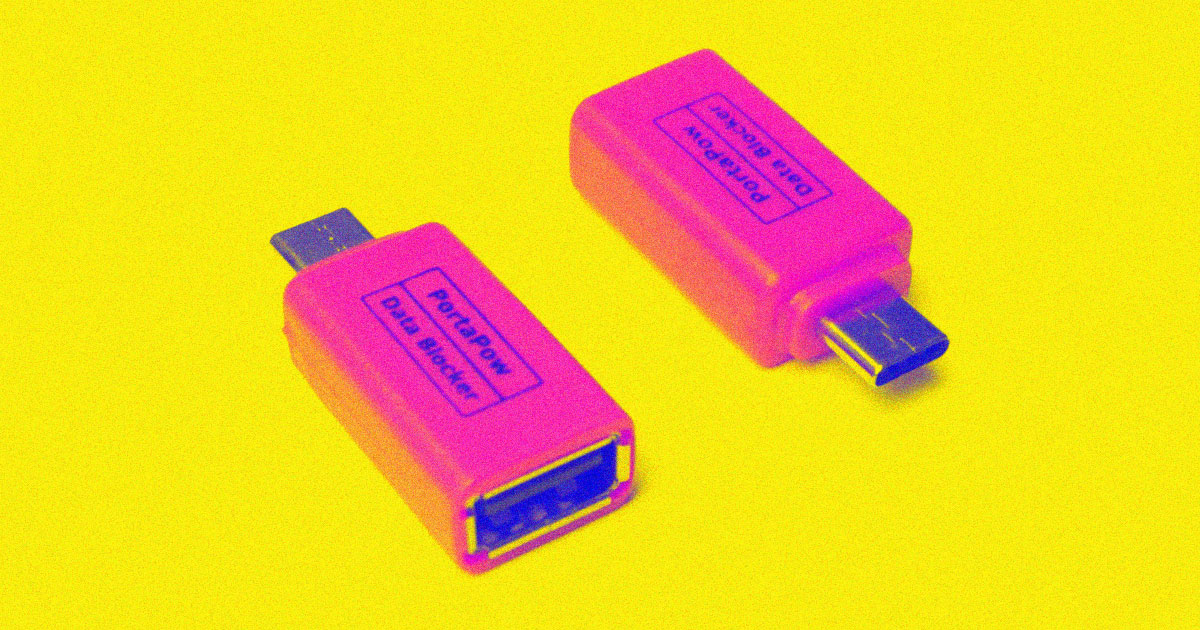
The recent wave of warnings about "juice jacking," where public charging stations or USB ports are tampered with to steal data or install malware, is largely unfounded. While the concept was demonstrated in 2011, there have been no known instances of juice jacking beyond proof-of-concept demonstrations. Most phone manufacturers have added prompts to allow or deny data exchange when charging, and the risk is minimal. However, if concerned, users can protect themselves by avoiding public charging stations, bringing their own external battery, using secure electrical sockets, using trusted charging cords, or using USB "condoms" that prevent data transfer.
The warnings of "juice jacking" - a cyberattack that can hack your phone when you plug it into a public charging station - have been circulating for more than a decade. However, the vast majority of cybersecurity experts do not warn that juice jacking is a threat unless you’re a target of nation-state hackers. There are no documented cases of juice jacking ever taking place in the wild. Modern iPhones and Android devices require users to click through an explicit warning before they can exchange files with a device connected by standard cables.
Hackers are using a new cyber-theft tactic called "juice jacking" by hiding skimming devices inside public USB ports and charging cables. The malware gains access to your device as soon as you plug it in and can lock you out or export personal data and passwords. To avoid getting hacked via charging stations, consumers are advised to avoid using public USB charging stations, bring their own chargers and cables, carry a portable charger or external battery, and consider purchasing a charging-only cable from a trusted supplier.
The FBI and Federal Communications Commission have warned about the dangers of public USB charging ports, which can introduce malware or drain your battery. To protect against this, experts have come up with "USB condom" dongles that can be plugged into public ports to add an additional layer of protection. However, it's unclear how widespread actual incidents of juice jacking are, and some experts are skeptical of the claims. It's best to avoid public charging ports altogether and bring your own external charger.
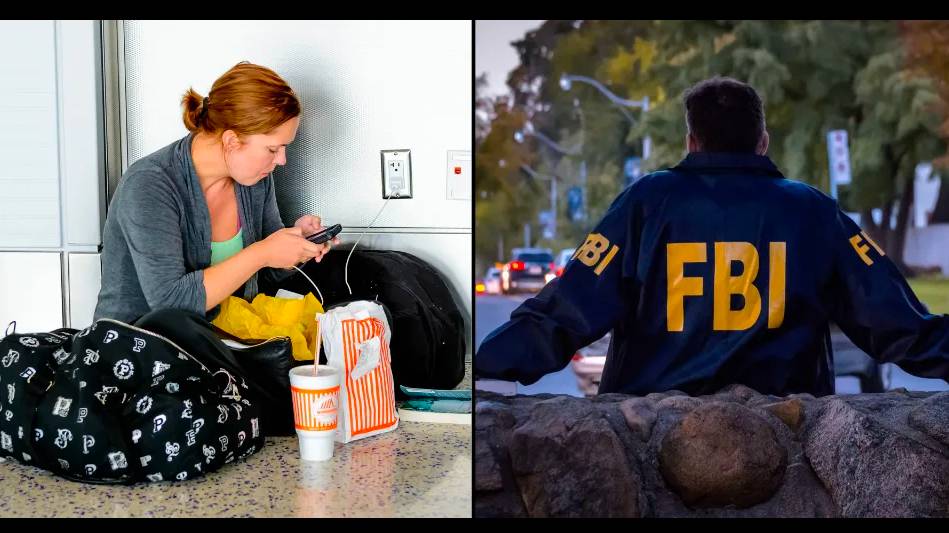
The FBI has warned against using USB charging stations in public places such as airports, malls, and hotels, as hackers can use them to access personal data and install malware on devices. The agency advises using personal chargers and electrical outlets instead. The warning is part of a regular reminder to keep smartphone users aware of the risks of "juice jacking" and public Wi-Fi networks, which can also be used to target devices and data.
The FBI and FCC recently tweeted about "juice jacking," a term coined in 2011 to describe the potential threat of data theft when one plugs their mobile device into a public charging kiosk. While it remains unclear what prompted the alerts, there are basic things you can do to avoid juice jacking, such as using your own gear to charge and transfer data from your device(s) to another. The best way to protect yourself from juice jacking is by charging your device via a trusted AC adapter, battery backup device, or through a USB cable with only power wires and no data wires present.
The FBI has warned against using USB charging stations in public places such as airports and malls, as hackers can load malware onto them and gain access to personal information. This type of hacking is called juice jacking. To stay safe, the FBI suggests using your own USB cord and electrical outlets instead of USB ports. Experts also recommend investing in a power bank for your phone.
The FBI has warned against using USB charging stations in public places such as airports and malls, as hackers can load malware onto them and gain access to personal information. This type of hacking is called juice jacking. To stay safe, the FBI suggests using your own USB cord and electrical outlets instead of USB ports. Experts also recommend investing in a power bank for your phone.
The FBI and FCC have issued warnings about "juice jacking," a potential threat of data theft when one plugs their mobile device into a public charging kiosk. The term was first coined in 2011, but the technology needed to conduct a sneaky juice jacking attack has become far more miniaturized, accessible, and cheap. The recent alerts were broadly covered in the press, but it remains unclear what prompted them. To avoid juice jacking, bring your own gear or charge via a trusted AC adapter, battery backup device, or through a USB cable with only power wires and no data wires present.
Cybercriminals are using USB cables at public charging stations to hack into phones while they're charging, a practice known as "juice jacking." Building fake charging stations is easy, and they can be used to install malware or steal data from mobile devices. To avoid getting juice jacked, carry a portable battery charger, use a data blocker, use a plug-in wall socket, or completely power off your device before plugging it into a public charging station.
The FBI has warned against using public phone charging stations due to the threat of "juice jacking," where bad actors can load malware onto public USB charging stations to maliciously access electronic devices while they are being charged. Cybersecurity experts warn that malware installed through a corrupted USB port can lock a device or export personal data and passwords directly to the perpetrator. To avoid becoming a victim, the FBI recommends using an AC power outlet instead, bringing your own chargers and cables, and carrying a portable charger or external battery.
The FBI is warning people not to use USB charging stations at airports, hotels, and shopping centers due to "juice jacking," a process where hackers manipulate the USB ports to put malware on people's phones and copy their data. Cybersecurity experts recommend using your own charging block or purchasing a special cord made only for power to protect yourself. The FBI also recommends plugging into a power outlet. If you've already plugged your phone into a USB port in public, you're probably okay, but it's best to stay cautious to keep your data safe.