Turn on iPhone's built-in scam screening in iOS 26 to block unknown calls
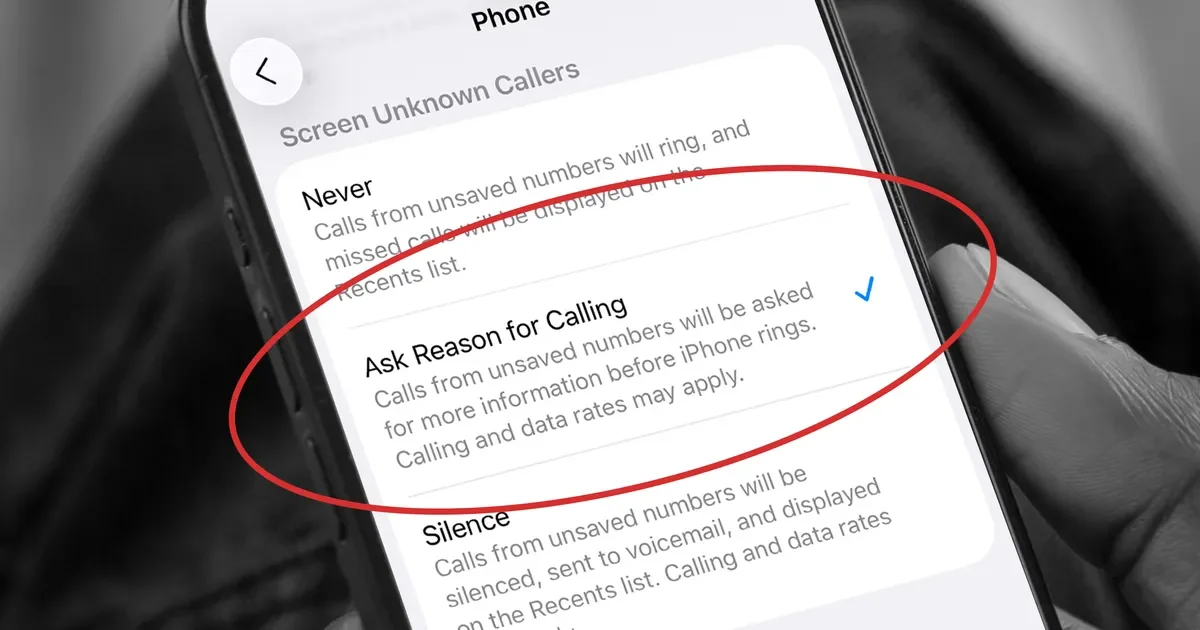
Apple’s iOS 26 adds a built-in, Siri-powered call-screening feature that acts as a bouncer for unknown numbers. After updating to iOS 26, go to Settings > Phone > Screen Unknown Callers and choose Never, Ask Reason for Calling, or Silence; the tool lets Siri ask why the caller is calling and can show a transcription of the call so you can decide to answer or ignore. FTC’s Do Not Call List can also help; the feature is designed to reduce robocalls without requiring third‑party apps.