Tag

Ios 173

All articles tagged with #ios 173

technology6 months ago

New iPhone Feature Enhances Theft Protection

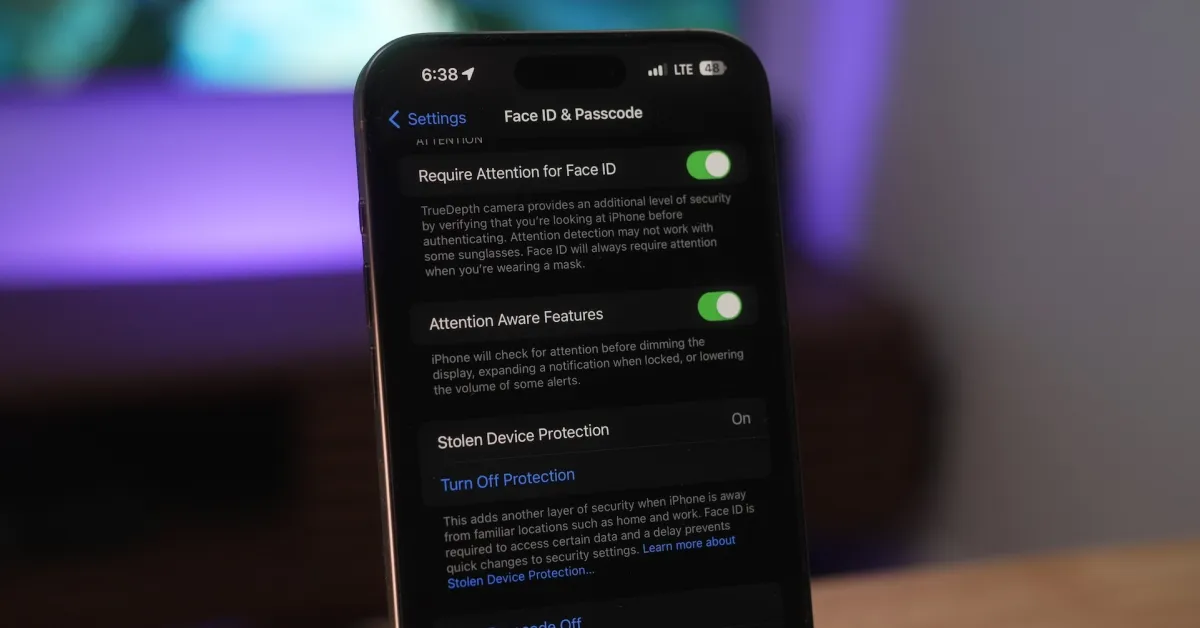
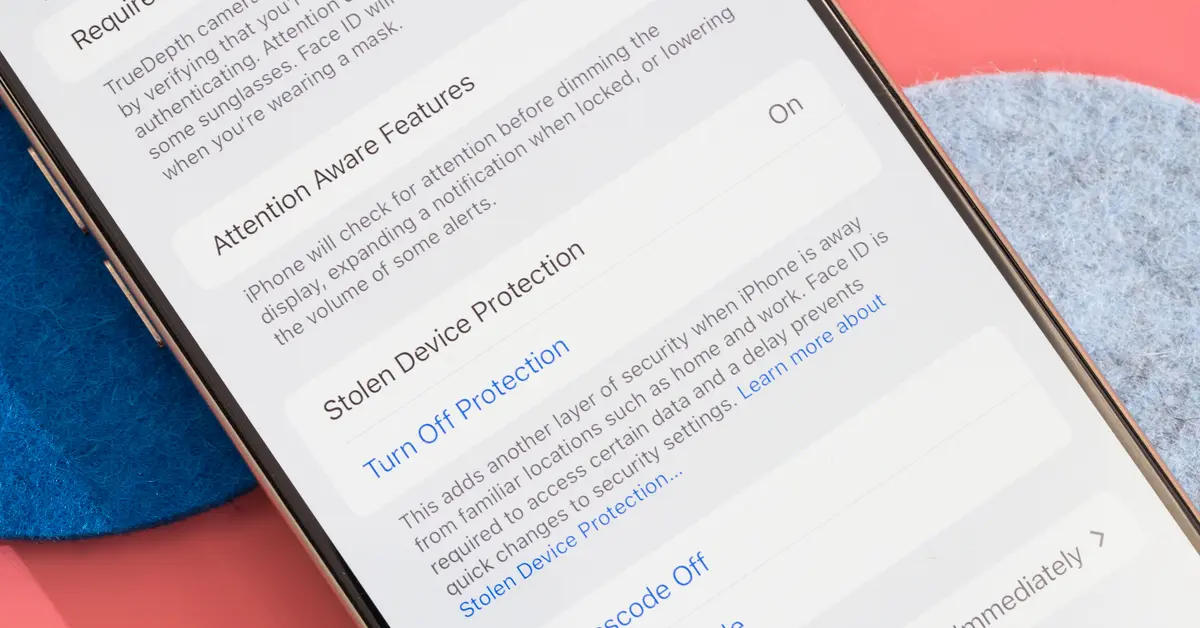
Apple's new Stolen Device Protection feature in iOS 17.3 enhances iPhone security by requiring additional authentication for sensitive actions and limiting access to personal data when the device is away from trusted locations, making it harder for thieves to misuse stolen iPhones. It includes features like delayed account changes, biometric verification for sensitive data, and remote locking or wiping via Find My, though it has some limitations at home unless always enabled.
technology1 year ago

"iPhone Users Alerted to iOS 17.3 Update Warning"

Apple's iOS 17.3 update fixed a security flaw, CVE-2024-23204, in the Shortcuts app that could allow attackers to access sensitive data without user prompt. With iOS 17.4 set to arrive soon, users are urged to update to iOS 17.3 to protect against already-exploited flaws. The upcoming iOS 17.4 update will bring significant changes, including allowing sideloading in the EU, potentially impacting security. It's advised to exercise caution with shortcuts from untrusted sources and to regularly check for security updates from Apple to stay protected.

technology1 year ago

"Apple's iOS 17.3 Update: Fixing Shortcuts Vulnerability and Warning Users"

Apple's iOS 17.3 update fixed a security flaw, CVE-2024-23204, in the Shortcuts application that could allow attackers to access sensitive data without user prompt. The flaw has been exploited in real-life attacks and is set to be addressed in the upcoming iOS 17.4 update. Users are advised to update to iOS 17.3.1, exercise caution when using shortcuts from untrusted sources, and regularly check for security updates and patches from Apple.

technology1 year ago

"Unveiling iOS 17: New Features, Updates, and Must-Know Tips for iPhone Users"

Apple's iOS 17.3 update introduces Stolen Device Protection, an optional feature designed to enhance security for iPhone users. When enabled, Face ID or Touch ID authentication is strictly required for sensitive actions, with a one-hour security delay for certain activities. This feature aims to prevent unauthorized access and control of stolen devices, addressing concerns raised by incidents of passcode theft.

technology1 year ago

"Maximizing iPhone Security: Essential iOS 17.3 Features and Stolen Device Protection"

In iOS 17.3, Apple has introduced several new privacy and security features for iPhone users, including Stolen Device Protection, requiring Face ID for Private Browsing in Safari, better tracking prevention, auto-deletion of verification codes, and enhanced privacy permissions for Photos. Additionally, a new safety feature called "Check In" in Messages allows users to automatically alert friends or family when they reach a desired destination, with the ability to share useful information if no response is received.

technology1 year ago

"Maximize iPhone Security: Essential Updates and Protection Features"

Apple's latest iOS 17.3 update for iPhone includes new features like Stolen Device Protection and collaborative playlists, along with bug fixes and security patches addressing over a dozen issues, including a potentially exploited vulnerability in WebKit. Users are advised to update their devices to protect against potential data theft or device hacking, with the update available through Settings > General > Software Update.

technology1 year ago

"Maximizing Security: Activating iOS 17.3's Stolen Device Protection"

Apple's iOS 17.3 update introduces a new security feature called Stolen Device Protection, which aims to safeguard user data if an iPhone is stolen. The feature requires biometric information to access sensitive settings and introduces a Security Delay mechanism for certain actions. While it doesn't protect all aspects of the device, Apple recommends enabling it and provides steps to require Security Delay even in familiar locations.

technology1 year ago

"Fixing the Vulnerability in Apple's iOS 17.3 Stolen Device Protection"

Apple's new Stolen Device Protection feature in iOS 17.3, meant to add extra security by requiring biometric authentication or a security delay for critical operations, has a vulnerability. The feature determines familiar locations based on frequency of visits, potentially flagging less secure places as significant. Users can disable this feature to prevent false positives, but doing so will require biometric verification even at actual familiar locations. Alternatively, users can toggle the Stolen Device Protection feature on or off in settings.

technology1 year ago

"Maximizing iPhone Security: The Essential iOS 17.3 Stolen Device Protection Guide"

Apple's new iOS 17.3 update introduced Stolen Device Protection to prevent unauthorized access to stolen iPhones, but a flaw allows the feature to be bypassed when the device is in a "familiar location" without requiring biometric authentication. This flaw can be fixed by disabling Significant Locations in the settings. Additionally, the upcoming iOS 17.4 beta 1 release will include the option to always require a security delay when changing security settings.

technology1 year ago

"Maximizing iPhone Security: The Benefits of iOS 17.3 Stolen Device Protection"

Apple's latest iOS 17.3 update introduces a new feature called Stolen Device Protection, aimed at preventing theft-related exploits. This feature requires additional authentication for certain actions and prevents changes if the user is not at a trusted location. Users are encouraged to turn on this feature to enhance security, although upgrading to a new device may require a waiting period. The update comes in response to a growing trend of thieves exploiting Apple software vulnerabilities to steal significant amounts of money from victims.

technology1 year ago

"Enhanced Theft Protection in iOS 17.3: What You Need to Know"

Apple's iOS 17.3 update introduces a new security feature called Stolen Device Protection, which aims to safeguard user data if an iPhone is stolen. The feature requires biometric authentication for certain sensitive actions when the device is not in a familiar location, and includes a Security Delay mechanism for changing specific settings. While it doesn't protect all aspects of the device, Apple recommends enabling this optional feature to add an extra layer of security.

technology2 years ago

"Securing Your iPhone: The Importance of Updating to iOS 17.3 for Stolen Device Protection"

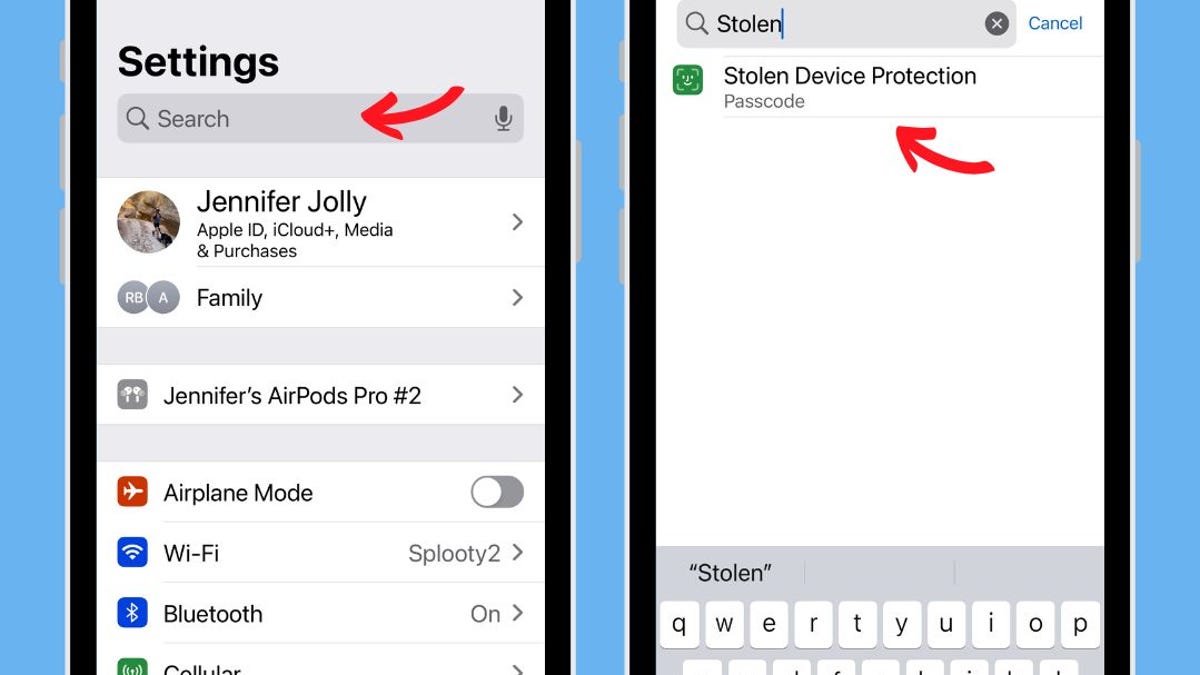
Apple's new Stolen Device Protection feature, introduced in iOS 17.3, enhances iPhone security by requiring biometric scans and time delays for certain actions when the device is away from familiar locations. This prevents thieves from accessing sensitive data, changing security features, or factory resetting the device. To activate the feature, ensure your device is updated to iOS 17.3 or higher, then navigate to Settings > Face ID & Passcode to turn on Stolen Device Protection.

technology2 years ago

"Enhanced iPhone Security: iOS 17.3 Update Protects Against Theft"

Apple's latest iOS 17.3 update introduces Stolen Device Protection, a feature that enhances iPhone security by requiring Face ID or Touch ID for certain actions, even with a passcode set up. This prevents unauthorized access to sensitive data and settings, and includes a security delay for certain actions. The feature adapts to the device's location and aims to provide users with more time to locate or erase their device if it's lost or stolen.

technology2 years ago

"Apple Issues Critical iOS 17.3 Update with Anti-Theft Feature and Zero-Day Vulnerability Patch"

Apple has released iOS 17.3, urging all iPhone users to update immediately due to the fix of 16 security issues, including a vulnerability in WebKit already being exploited in real life attacks. The update also includes Stolen Device Protection and is crucial for older devices, as Apple no longer supports them with security updates. Additionally, iOS 16.7.5 and iOS 15.8.1 updates have been issued for older iPhone models, fixing multiple security issues, some of which are already being exploited. It is recommended for all iPhone users to update their devices to the latest software immediately.