Microsoft has introduced hardware-accelerated BitLocker encryption in Windows 11, significantly improving storage performance and reducing CPU usage by offloading cryptographic operations to dedicated hardware, especially benefiting random I/O operations and modern multitasking workloads.
Microsoft acknowledges that enabling BitLocker on Windows 11 PCs with NVMe SSDs can cause a performance slowdown, especially during resource-intensive tasks like gaming and video editing, due to increased CPU usage for encryption. However, hardware-accelerated BitLocker, supported by upcoming CPUs and SoCs, offloads encryption tasks to dedicated hardware, significantly reducing CPU load and improving performance and battery life. Users can verify support via command line, and future updates will enable automatic use of hardware acceleration on compatible devices.
Hardware acceleration is a hidden setting in most modern web browsers that can significantly improve browsing speed and performance. By utilizing hardware components beyond the CPU, such as the GPU, specialized audio, or AI processing units, the browser can offload graphically intensive tasks and free up CPU resources for other tasks. Enabling hardware acceleration is typically recommended, but it can be turned off to troubleshoot performance issues. The setting can be found in the browser's settings menu, and keeping the browser, operating system, and graphics drivers up to date ensures optimal performance.
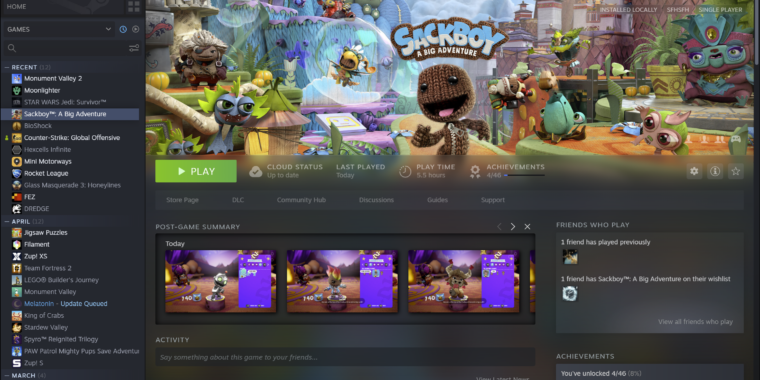
Valve has released a major update to Steam, including a visual redesign and new features. The update brings the Mac and Linux versions of Steam closer to parity with the Windows version, with hardware acceleration now supported on all platforms. The in-game overlay has been overhauled, with new customization options for notifications and the ability to take notes while playing. The update also includes a codebase overhaul for greater consistency across desktop, Big Picture mode, and Steam Deck.
Steam has updated its Mac app with hardware acceleration support, which will enable better performance when browsing through Steam's catalog of games. The update also includes a refreshed interface, improved notification system, and a redesigned in-game overlay with more customization options. The update is now available to all users and supports both macOS and Linux.
Valve has released a significant update to the Steam client beta, which includes an overhaul of the in-game overlay, a new "Notes" app, improved notifications, and a better screenshot manager. The update also enables hardware acceleration for the Steam interface on Linux and macOS, providing better animations. The release also includes updates to the Steam desktop code, Steam Deck, and Steam Big Picture Mode.