Tag

Grammarly

All articles tagged with #grammarly

Grammarly Rebrands as Superhuman with New AI Features

Originally Published 2 months ago — by 9to5Mac

Featured image for Grammarly Rebrands as Superhuman with New AI Features
Source: 9to5Mac

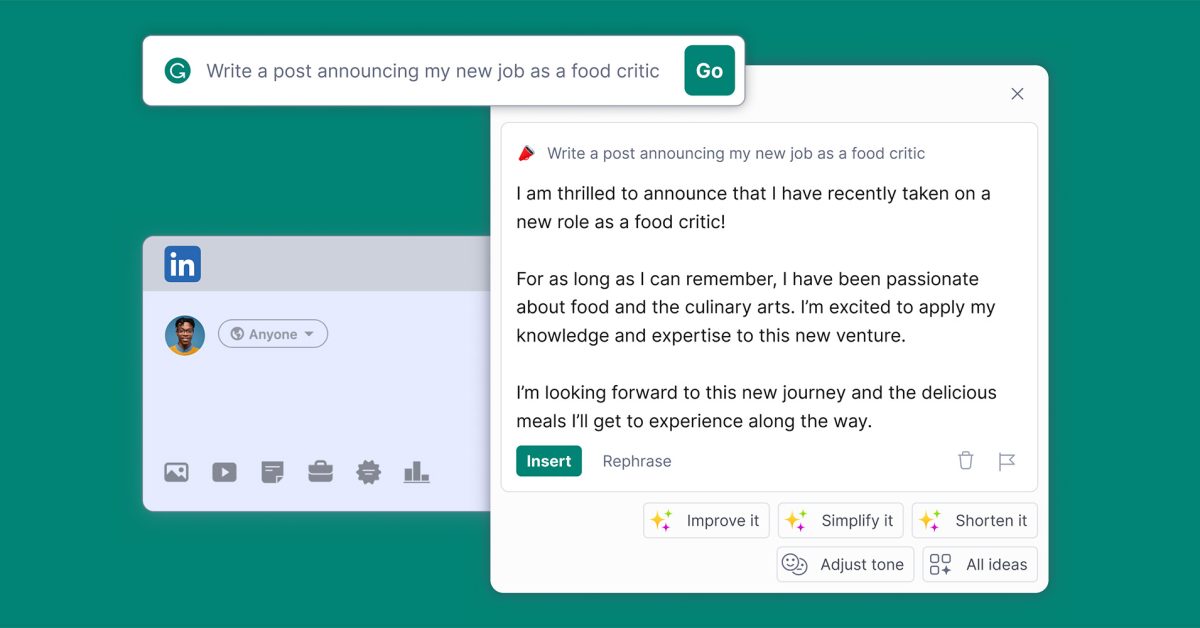
Grammarly is rebranding as Superhuman and expanding its capabilities with new AI-powered tools, including Superhuman Go, an AI assistant integrated into the browser that offers contextual suggestions and connects with over 100 apps. Existing subscribers will receive these features at no extra cost until February 2026, after which pricing details are yet to be announced.

Grammarly unveils redesign with new AI features

Originally Published 4 months ago — by TechCrunch

Featured image for Grammarly unveils redesign with new AI features
Source: TechCrunch

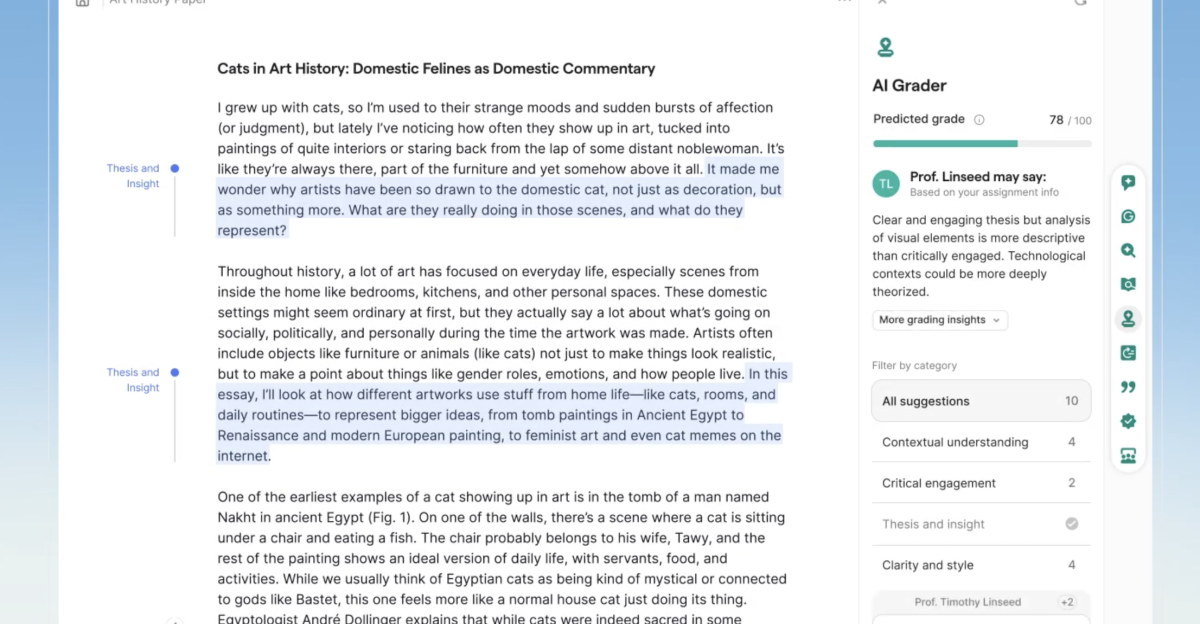
Grammarly has launched a major update featuring a new document-based interface built on Coda, integrated with AI tools such as an AI assistant, grader, citation finder, and paraphraser, along with AI content detection features to identify AI-generated text, aiming to balance educational support with integrity.

Top 4 AI Tools and Tips for Boosting Daily Productivity

Originally Published 1 year ago — by ZDNet

Featured image for Top 4 AI Tools and Tips for Boosting Daily Productivity
Source: ZDNet

The article reviews four AI tools that enhance productivity without replacing human work: Grammarly for writing assistance, ChatGPT for conversational search and document analysis, Canva Pro for graphic design, and Otter.ai for transcription. These tools streamline daily tasks, saving time and allowing users to focus on more valuable work. Each tool offers unique features, such as Grammarly's grammar checks, ChatGPT's web search and summarization, Canva's design automation, and Otter.ai's transcription services, making them valuable additions to any workflow.

Top AI Tools and Hacks for Boosting Productivity

Originally Published 1 year ago — by ZDNet

Featured image for Top AI Tools and Hacks for Boosting Productivity
Source: ZDNet

The article discusses four AI tools that significantly enhance productivity in daily workflows: Grammarly, ChatGPT, Canva Pro, and Otter.ai. Grammarly aids in writing by checking grammar and offering generative AI features. ChatGPT serves as a conversational search engine and document analyzer. Canva Pro simplifies graphic design tasks with tools like AI Background Remover. Otter.ai provides efficient transcription services for meetings and interviews. These tools save time on routine tasks, allowing users to focus on more valuable work.

"Tech Industry Layoffs Surge as AI Takes Center Stage"

Originally Published 1 year ago — by Business Insider

Featured image for "Tech Industry Layoffs Surge as AI Takes Center Stage"
Source: Business Insider

Despite healthy finances, tech companies like Grammarly and Microsoft have conducted layoffs in 2024 as a means of refocusing resources on their most pressing goals, such as adapting to the AI-enabled workplace and correcting inefficiencies. This trend reflects a shift in decision-making towards fine-tuning rather than addressing dire financial straits, with companies like Discord also making layoffs despite not being in immediate financial trouble.

"Boosting Productivity with Top AI Tools: A Must-Try List"

Originally Published 2 years ago — by Android Authority

Featured image for "Boosting Productivity with Top AI Tools: A Must-Try List"
Source: Android Authority

Here are some of the best AI tools for productivity: ChatGPT, a versatile tool for answering questions, summarizing reading, and drafting writing projects; Midjourney, an image generator with photorealistic results; Adobe Photoshop with Firefly technology for enhancing images and manipulating scenes; Grammarly, a useful tool for checking spelling, grammar, and punctuation; and Notion AI, an add-on for project management and notetaking with features like drafting, summaries, and proofreading.

"Finding the Perfect Balance: Top AI Writing Tools and Rewriters Reviewed"

Originally Published 2 years ago — by Android Authority

Featured image for "Finding the Perfect Balance: Top AI Writing Tools and Rewriters Reviewed"
Source: Android Authority

AI writing tools such as ChatGPT, Grammarly, Article Forge, Jasper, and Copy.ai offer various features to assist writers in drafting, proofreading, and editing their work. While these tools can be helpful for writers of all levels, they are primarily oriented towards marketing purposes. It is important to proofread the output of AI tools for awkward phrasing, factual errors, and unnatural language. Some of these tools offer free versions with limited features, while others require a subscription for full access.

"Grammarly's AI Feature: Personalized Writing Style Without Robotic Tones"

Originally Published 2 years ago — by TechCrunch

Featured image for "Grammarly's AI Feature: Personalized Writing Style Without Robotic Tones"
Source: TechCrunch

Grammarly, the cloud-based typing assistant, is set to launch a new feature called "Personalized voice detection and application" that uses generative AI to detect a person's unique writing style and create a "voice profile" that can rewrite any text in that style. While Grammarly pitches it as a way for writers to make their writing sound more personal, concerns have been raised about potential misuse, such as using voice profiles to publish content under a writer's name without their approval or impersonating someone in phishing attempts. The issue of writer protections in relation to generative AI has been a topic of debate, with authors signing an open letter and lawsuits being filed against AI startup OpenAI. Grammarly's voice profiles will initially be limited to individual users and cannot be exported, but there are concerns about how they may evolve in the future.

"AI Writing Tools: The Future of Content Creation?"

Originally Published 2 years ago — by 9to5Google

Featured image for "AI Writing Tools: The Future of Content Creation?"
Source: 9to5Google

Grammarly has rolled out its generative AI tools to users, allowing them to create outlines, expand on their writing, work on tone, or create text entirely. The AI tools are available in beta for both free and paid individual accounts and business customers, but users are limited to a certain number of prompts per month. Unpaid users are limited to 100 prompts per month, while premium account holders are eligible for 500 prompts per month. Business customers can access the "Teams" subscription with 500 prompts per month per user, and the "Enterprise" tier granting 1,000 prompts per month per user.