Google Docs, Sheets, and Slides on Android tablets now feature a formatting sidebar, replacing the previous toolbar, to provide easier access to formatting options such as line spacing and columns. This change reduces the number of taps needed to navigate formatting options and will be fully available over the coming weeks. Additionally, Google Slides on the web will soon allow users to drag and drop an image to replace a background.
Google is rolling out a new feature that allows users to remove the background of images in Google Slides and Drawings using Duet AI. After uploading an image, users can right-click on it and select the "Remove background" option. The feature is accessible from the toolbar or the Format menu. While users cannot make additional edits if Duet AI makes a mistake, they can provide feedback by giving a thumbs up or down. This feature will be available to users as part of Workspace Labs.
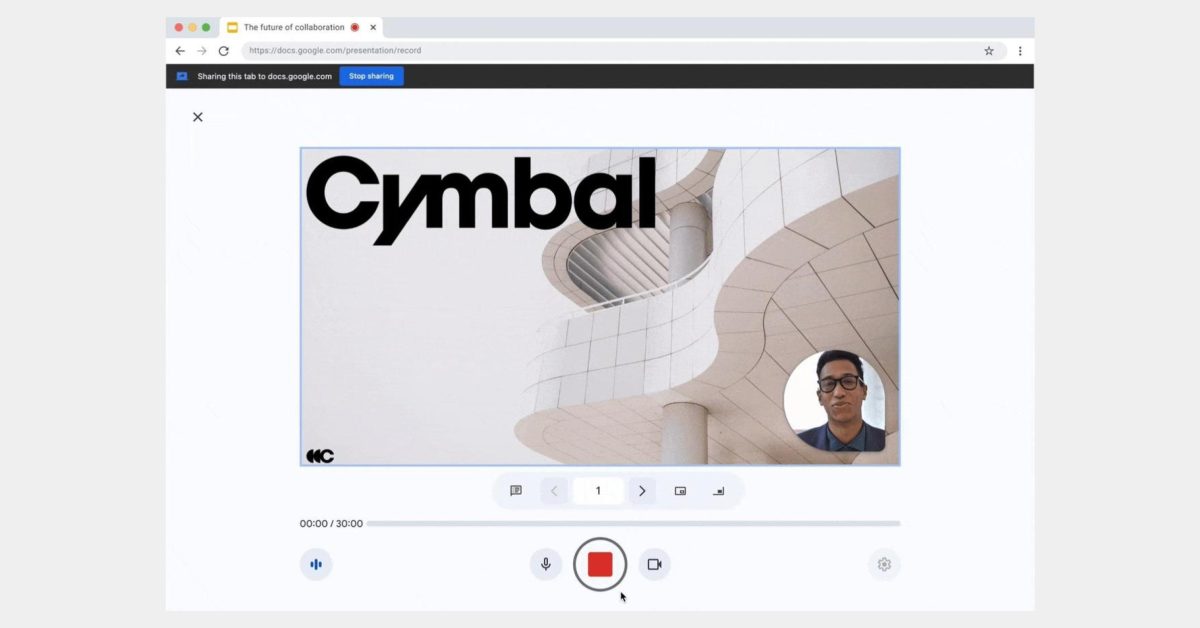
Google Slides is introducing a built-in presentation recording tool, allowing users to record themselves presenting directly within the platform. The feature includes a 30-minute time limit per session and recordings will count towards Google Drive storage. Users can access the recording studio interface, select different cameras and microphones, and have the option to re-record or save the recording to Drive. This feature is currently only available on desktop Chrome and requires certain Google Workspace subscriptions.
Google Slides on the web is introducing a live pointer feature that allows users to see each other's mouse pointers in real-time. This feature enables co-creators to highlight specific text or visual elements within a slide, making it easier to collaborate and emphasize important information. The live pointer icon can be activated from the toolbar and can be customized to show or hide other collaborators' pointers. The update will be rolled out gradually to both Workspace customers and personal Google Accounts over the next few weeks.
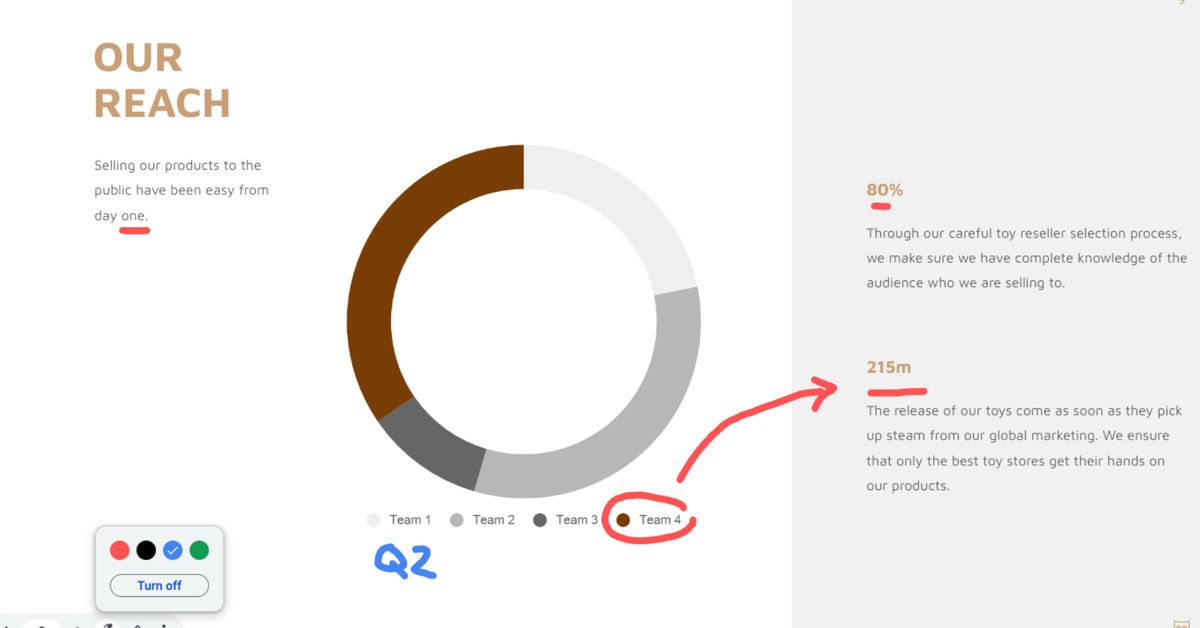
Google Slides is introducing a new annotation feature that allows users to doodle on their presentations, similar to Microsoft PowerPoint's existing functionality. The feature will be accessible through the three-dot menu while presenting and will include a pen tool with different color options and an eraser. It will be gradually rolled out to most Google Slides users over the next few weeks, regardless of whether they have a paid Google Workspace account or a free Google account. This addition aims to make presentations more engaging, interactive, and impactful.