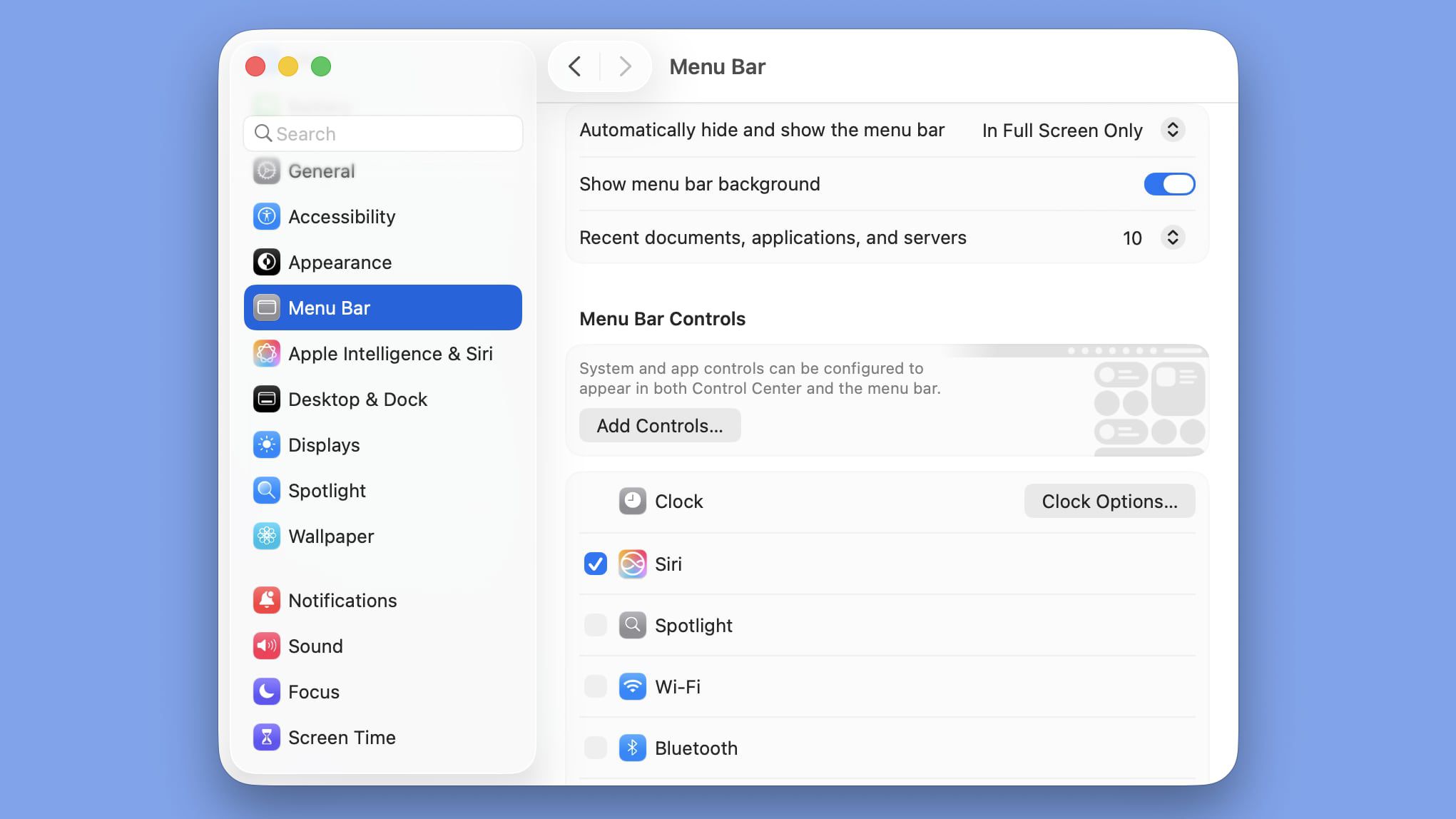
macOS Tahoe Beta 2 introduces a new option to add a background to the menu bar, allowing users to customize its appearance and improve visibility, as part of Apple's Liquid Glass design updates.
Apple plans to reorganize the System Settings app in the upcoming macOS 15 to address user criticisms, making settings more intuitive and easier to find, while maintaining the app's general design to align with iOS and iPadOS.
Apple plans a major design overhaul for the System Settings app in macOS 15, set to debut at WWDC in June. The update will reorganize settings based on priority, introduce a new Siri menu bar icon, and bring design changes to Calculator and Safari. Other updates include a Printable Account Recovery Summary option, a new iCloud preference pane, and a modernized AirDrop interface.
macOS 15 will bring significant UI changes, including a major reorganization of System Settings, a new monochromatic icon for Siri, and various tweaks to core apps like Safari and Calculator. Apple is also rebranding Apple ID to Apple Account and introducing new features like Printable Account Recovery Summary. These updates aim to enhance user experience by making settings more intuitive and consistent across devices.
New images of early Switch menu mockups have surfaced, discovered on a prototype Switch NAND and shared by user PaulFelixKelly. The screenshots, marked as created in 2015, reveal the home menu, user icons, and friends section, with a blurred shot of the system settings. This isn't the first early look at the Switch, as the boot up animation for the system's original codename, NX, was found in November 2022.
Apple has released macOS Ventura 13.5.1, which includes a fix for an issue in System Settings that was preventing location permissions from appearing. The update comes as Apple focuses on iOS 17 and other software updates expected to ship in September, with macOS Sonoma likely to be finalized and released in October.
Microsoft has released a new backup app for Windows 11 called Windows Backup, which not only creates a backup of files but also backs up and restores system settings and maintains pinned apps in the Start menu and taskbar. The app is currently only available in the Dev build of Windows 11 Insider Preview Build 23466 and will gradually filter down to other channels. The new backup and restore capabilities aim to make moving to a new PC easier and help app developers retain users across this new PC transition.