Tag

Shareplay

All articles tagged with #shareplay

iOS 18 Beta: New Features, Privacy Upgrades, and How to Download

Originally Published 1 year ago — by 9to5Mac

Featured image for iOS 18 Beta: New Features, Privacy Upgrades, and How to Download
Source: 9to5Mac

Apple has announced that iOS 18 beta 2 will be released next Monday, introducing two new features: iPhone Mirroring and SharePlay screen sharing. iPhone Mirroring allows Mac users to mirror and interact with their iPhone display on their Mac, while SharePlay screen sharing enhances collaborative screen sharing capabilities. The update will also include bug fixes and tweaks to other features. The public beta is expected in July.

"Apple Vision Pro Introduces Spatial Personas for Enhanced Telepresence"

Originally Published 1 year ago — by UploadVR

Featured image for "Apple Vision Pro Introduces Spatial Personas for Enhanced Telepresence"
Source: UploadVR

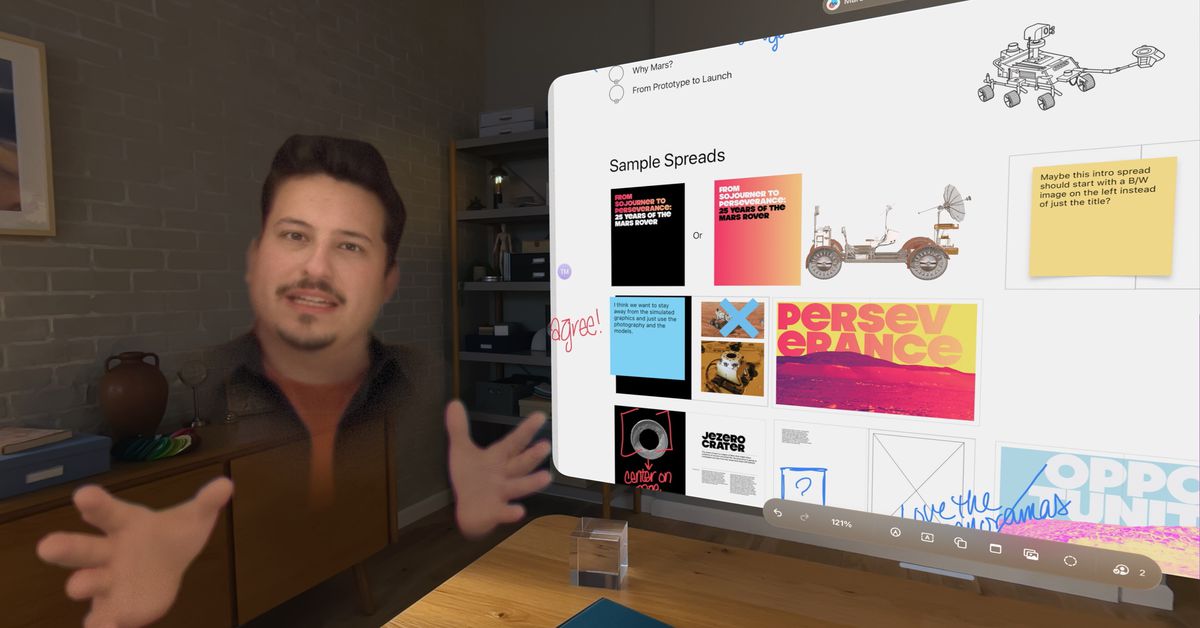
Apple's new Spatial Personas feature for its Vision Pro VR headset is revolutionizing telepresence, allowing users to connect with others in a shared virtual space and interact in ways that were previously impossible. The feature enables shared experiences such as watching movies, playing games, and collaborating on projects, creating a sense of presence and closeness. While the $3,500 price tag and limited availability may be barriers for some, Spatial Personas has the potential to redefine remote collaboration and social interaction in VR, setting a new standard for telepresence technology.

"Apple Vision Pro Introduces Floating Spatial Personas for Seamless App Integration"

Originally Published 1 year ago — by The Verge

Featured image for "Apple Vision Pro Introduces Floating Spatial Personas for Seamless App Integration"
Source: The Verge

Apple's Vision Pro personas, previously limited to FaceTime calls, can now be used in SharePlay-enabled apps to collaborate, play games, or watch media with others, creating a "spatial Persona" experience that simulates being in the same physical space as another user. Users can control what they see and reposition objects without affecting others, and spatial audio helps sense the other person's location. The feature requires VisionOS 1.1 and selecting the spatial Persona option during a FaceTime call, with up to five participants allowed.

"Exploring the Enhanced AirDrop Features in iOS 17"

Originally Published 2 years ago — by MacRumors

Featured image for "Exploring the Enhanced AirDrop Features in iOS 17"
Source: MacRumors

Apple is introducing new features to AirDrop in iOS 17, including NameDrop for exchanging contact information by touching two iPhones together, proximity sharing for quickly sharing files or photos with someone nearby, transfers over the internet to complete AirDrop transfers even when not in close proximity, and the ability to initiate SharePlay sessions through proximity. These updates aim to enhance the convenience and functionality of AirDrop for Apple users.

"iOS 17 Enhances CarPlay and HomePod Functionality"

Originally Published 2 years ago — by MacRumors

Featured image for "iOS 17 Enhances CarPlay and HomePod Functionality"
Source: MacRumors

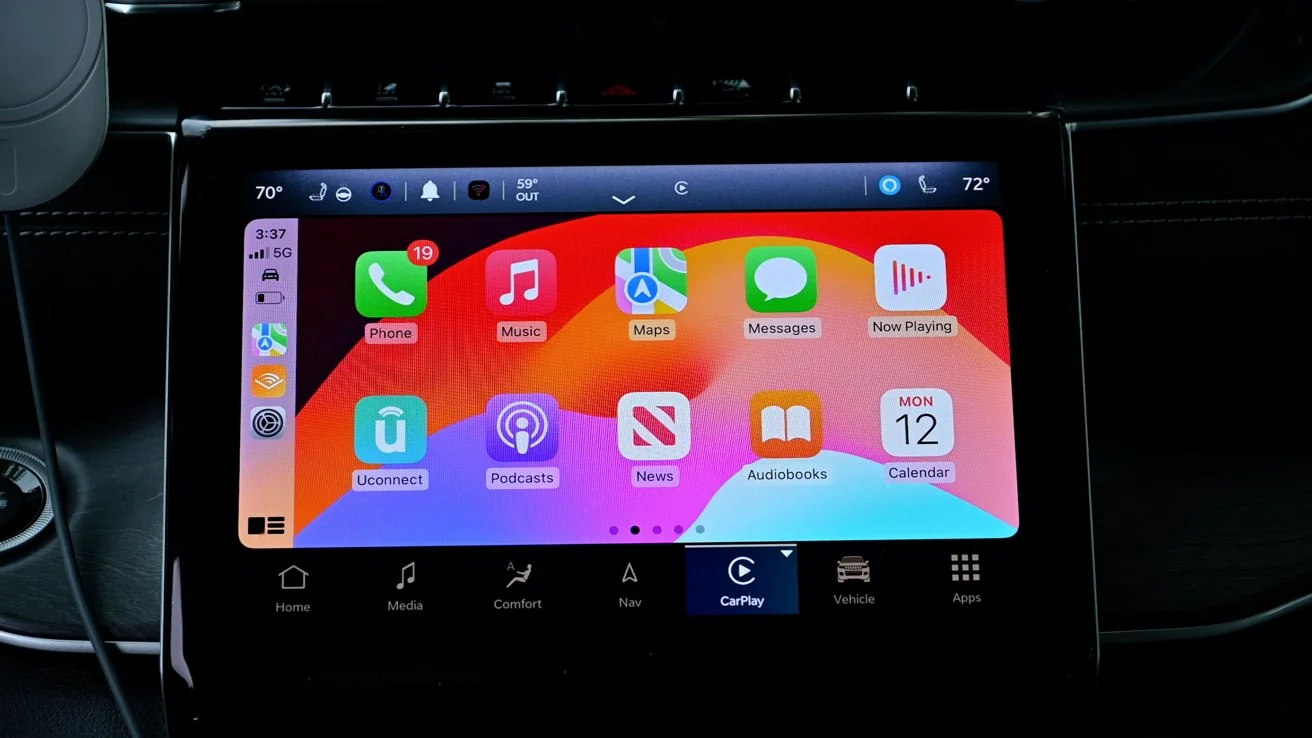
Apple's iOS 17 update brings new features to CarPlay, including SharePlay for Apple Music, real-time charging availability for electric vehicles in Apple Maps, a revamped Messages interface, and new wallpaper options. The next-generation CarPlay experience, which will offer deeper integration with vehicles, is set to launch in 2023 and will support multiple displays and climate controls. Car brands that will support the updated CarPlay include Acura, Audi, Ford, Honda, Jaguar, Land Rover, Mercedes-Benz, Nissan, Porsche, and Volvo.

"iOS 17: Enhanced CarPlay and HomePod Features"

Originally Published 2 years ago — by AppleInsider

Featured image for "iOS 17: Enhanced CarPlay and HomePod Features"
Source: AppleInsider

Apple is adding new features to CarPlay in iOS 17, including offline maps, SharePlay for Apple Music, and a new design for sending and playing back received messages. The upcoming redesign of CarPlay will occupy nearly all screens in the car for a unified look and feel, and will be released in 2023. The new features will be available later this year as part of iOS 17.

"iOS 17 to Introduce 5 Exciting AirDrop Upgrades"

Originally Published 2 years ago — by MacRumors

Featured image for "iOS 17 to Introduce 5 Exciting AirDrop Upgrades"
Source: MacRumors

Apple is introducing five new features to AirDrop with the iOS 17 software update. NameDrop allows users to swap contact details by holding their iPhone near another iPhone. A new proximity gesture allows users to share content like photos and files. AirDrop can now continue over the internet if both parties are signed in to iCloud. SharePlay allows two users to listen to music or watch a movie together, and third-party developers can make their apps support the gesture. Explicit Image Blurring is a new opt-in feature that automatically blurs images sent over AirDrop that may have sensitive content like nudity.

"Apple's Fall Updates: Improved AirPods and Services Features"

Originally Published 2 years ago — by Apple

Apple has announced new features and enhancements for its services, including Collaborative Playlists in Apple Music, offline maps in Apple Maps, and new experiences in Apple Podcasts. Other features include SharePlay for the car in Apple Music, Custom Plans in Apple Fitness+, and Song Credits in Apple Music. These updates will be available with the release of iOS 17, iPadOS 17, macOS Sonoma, watchOS 10, and tvOS 17 later this year.

YouTube Premium Upgrades with SharePlay and Enhanced Video Quality for iPhone Users.

Originally Published 2 years ago — by MacRumors

Featured image for YouTube Premium Upgrades with SharePlay and Enhanced Video Quality for iPhone Users.
Source: MacRumors

YouTube Premium subscribers will soon have access to SharePlay and an enhanced 1080p video quality option with a higher bitrate on the iPhone. Other perks available to YouTube Premium subscribers starting today include an option to queue videos in the iOS and Android app, the ability to continue watching a video where you left off when switching devices, and an option to have recommended videos automatically downloaded while on Wi-Fi for offline viewing at a later time.

YouTube Premium Enhances User Experience with SharePlay and High-Quality Video.

Originally Published 2 years ago — by TechCrunch

Featured image for YouTube Premium Enhances User Experience with SharePlay and High-Quality Video.
Source: TechCrunch

YouTube Premium is introducing new features to attract and retain subscribers, including higher-quality video for web and iOS users, support for co-watching videos on FaceTime through Apple’s SharePlay, and more controls for managing your queue on mobile devices. The subscription plan also includes the ability to continue watching videos where you left off on any device and a “smart downloads” feature that automatically saves recommended videos for offline access. These features aim to better market the subscription to consumers and provide a more premium experience beyond removing ads from YouTube.

YouTube Premium boosts iOS experience with SharePlay and higher quality video.

Originally Published 2 years ago — by 9to5Google

Featured image for YouTube Premium boosts iOS experience with SharePlay and higher quality video.
Source: 9to5Google

YouTube Premium is adding new perks to its subscription, including SharePlay support for iOS, an enhanced bitrate version of 1080p HD quality, the ability to Queue videos, "Continue watching" prompts, and Smart Downloads for offline viewing. The enhanced 1080p quality is rolling out over the coming weeks and will be available first on iOS, with plans to bring it to Android in the future. These new features are exclusive to YouTube Premium subscribers.