Tag

Home Network

All articles tagged with #home network

"ICANN Proposes .INTERNAL Domain for Private Home Networks"
technology2 years ago

"ICANN Proposes .INTERNAL Domain for Private Home Networks"

ICANN is proposing to introduce a new top-level domain, .internal, to simplify access to home networks by replacing the traditional 192.168.x.x address for router configuration. This change aims to prevent clashes with other networks and informal use of top-level domains. ICANN initially considered 35 different strings but settled on .internal over .private due to potential privacy implications. While details on structuring the .internal domain are yet to emerge, ICANN is seeking public comments before making a final decision.

Top 10 Future-Proof Wi-Fi Routers for Constant Home Connectivity
technology2 years ago

Top 10 Future-Proof Wi-Fi Routers for Constant Home Connectivity

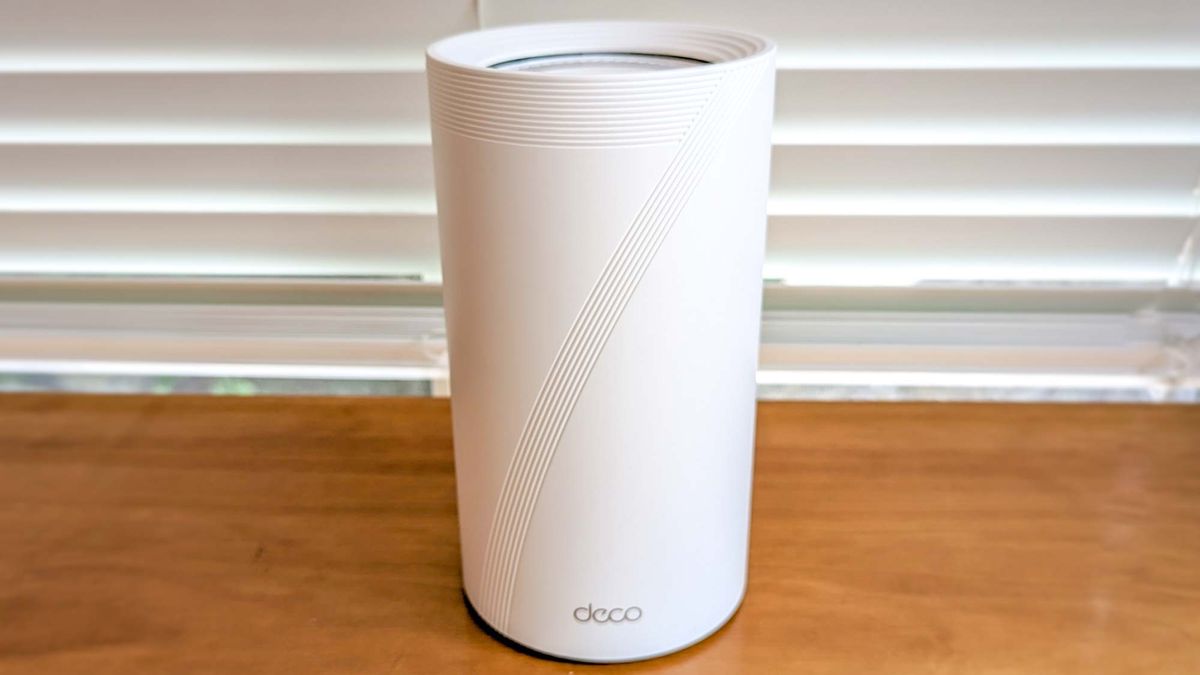
The best Wi-Fi 7 routers offer the latest wireless standard with upgrades like wider data channels and Multi-Link Operation. The Netgear Orbi RBE973 is the best overall Wi-Fi 7 router, while the TP-Link Deco BE85 is the best for fiber internet. The TP-Link Archer BE800 offers great value with a unique form factor, the Netgear Nighthawk RS700S is best for mid-range distances, and the eero Max 7 is the best for simplicity. Factors to consider when choosing a Wi-Fi 7 router include price, range, ports, and design.

Troubleshooting Home Wi-Fi Signal Interference for a Stronger Connection
technology2 years ago

Troubleshooting Home Wi-Fi Signal Interference for a Stronger Connection

Slow or blocked Wi-Fi signals in your home can be improved by understanding the nature of Wi-Fi signals and their ability to pass through different materials. Moving your wireless router to a more open area or using access points can help improve signal strength, especially in homes with heavy materials. Additionally, appliances made of heavy materials, such as smart fridges and ovens, can interfere with Wi-Fi signals, so it's important to consider their placement and potentially invest in access points or upgrade your wireless router for a more stable and reliable signal.

"Unlocking Faster Wi-Fi Speeds: The Key to Improving Antenna Performance"
technology2 years ago

"Unlocking Faster Wi-Fi Speeds: The Key to Improving Antenna Performance"

The positioning of Wi-Fi router antennas can significantly impact internet speed. For routers without visible antennas, ensure the router is placed in an optimal location. For routers with two antennas, position them perpendicular to each other, with one horizontal and the other vertical. Routers with three antennas should have the middle one straight up and the side ones at a 45-degree angle. For routers with four antennas, two should be straight up and two at 45-degree angles in opposite directions. Consider the layout of your home and the devices you use to determine the best antenna positioning.

"Wi-Fi Router Placement: Avoid the Kitchen and These Other 4 Worst Places"
technology2 years ago

"Wi-Fi Router Placement: Avoid the Kitchen and These Other 4 Worst Places"

Wi-Fi expert Alex Tofts from Broadband Genie has identified the five worst places to put your Wi-Fi router. These include under the stairs, as it can hinder internet speeds; the kitchen, due to interference from devices like microwaves; next to a window, as direct sunlight can cause overheating; next to a vase or fish tank, as water obstructs Wi-Fi signals; and the attic, where signal strength is compromised. To optimize Wi-Fi coverage, Tofts recommends placing the router on the ground floor in the middle of the house and using a Wi-Fi booster if needed.

Optimize Your Wi-Fi Speed: Avoid These Common Router Placement Mistakes
technology2 years ago

Optimize Your Wi-Fi Speed: Avoid These Common Router Placement Mistakes

The placement of your internet router can significantly impact the performance of your home network. According to WiFi expert Alex Tofts, routers should not be placed under stairs, near windows, in the kitchen or attic, or next to objects like vases or fish bowls. To ensure a strong signal, routers should be placed in open areas with a clear line of sight to connected devices, away from obstacles that can interfere with the signal. Elevating the router and keeping it cool are also recommended for optimal performance.

The Common WiFi Mistake That's Worse Than Placement Near Objects.
technology2 years ago

The Common WiFi Mistake That's Worse Than Placement Near Objects.

Proper placement of your Wi-Fi router is crucial for optimizing its signal strength and avoiding interference from surrounding objects such as electronics, bulky furniture, and water. Experts recommend placing the router in a central location and mounting it high to avoid hindering the signal. Avoid placing the router near a microwave or behind a TV. If your Wi-Fi is still slow, try rebooting it or contacting your internet provider for assistance.