The article explains how to resolve the issue of the Windows 10 ESU registration not appearing after support for version 22H2 ended, including a step-by-step guide to force registration via Command Prompt, with a recommendation to contact Microsoft Support if problems persist.
Microsoft has suddenly made Windows 10 Extended Security Updates (ESU) available for purchase in the Microsoft Store, allowing users to buy security updates for $30 without needing a Microsoft Account, as an alternative to free updates, with support ending soon.
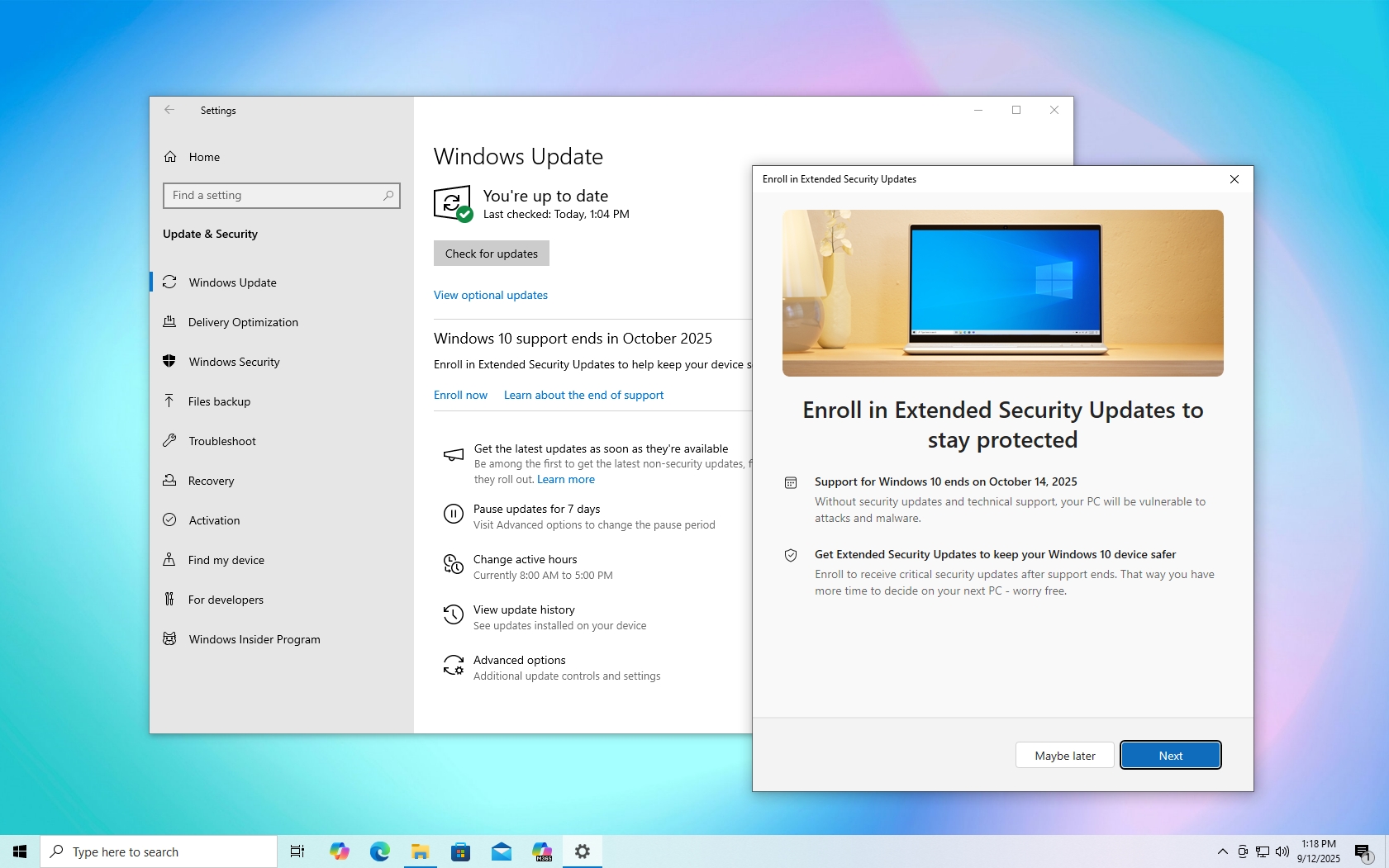
Microsoft has ended support for Windows 10, but users can still secure their PCs for another year by enrolling in free Extended Security Updates (ESU), which involves updating the system, using an administrator account, and signing up through Windows settings, with some limitations on cloud backup storage.
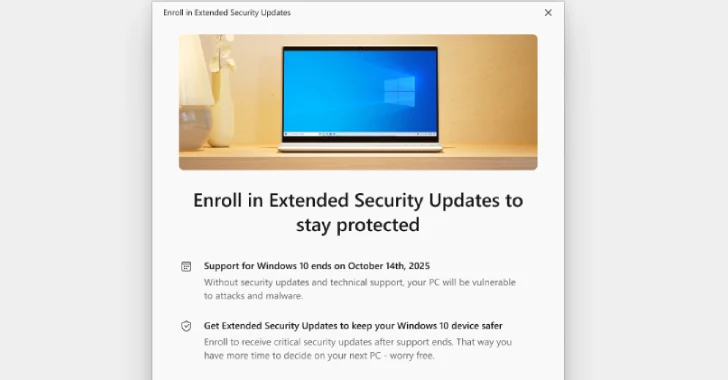
Microsoft is ending support for Windows 10 on October 14, but users can enroll in free Extended Security Updates to receive security patches for an additional year, with steps including updating the system, verifying eligibility, and enrolling through Windows Settings.
Microsoft is offering two free options for extended security updates for Windows 10 PCs until October 2026, primarily targeting personal users who enroll via a Microsoft account, with the process involving Windows Backup or Microsoft Rewards points, while enterprise users must pay for updates. The move is a response to the large number of Windows 10 devices still in use and the approaching end of support.
As Windows 10 support ends in October 2025, users can enroll in the Extended Security Updates (ESU) program to continue receiving critical security patches until October 2026, with options including free, rewards-based, or paid enrollment, regardless of hardware compatibility with Windows 11.
Microsoft is offering a free 12-month security extension for Windows 10 users as its end of life approaches on October 14, 2023, but the rollout is chaotic and users are being pressured to upgrade to Windows 11, which is increasingly popular among users.
Microsoft has extended a free support offer to Windows 10 users, allowing them to enroll in Extended Support Updates until October 2026, as part of a strategy to maintain security support for older systems amid ongoing Windows 11 adoption. The update process has faced some issues but is generally accessible, though the move may slow Windows 10's decline and impact Windows 11's market growth. Users are advised to act before support ends in October 2025 to avoid security vulnerabilities.
Microsoft has rolled out a free update for Windows 10 users, enabling them to enroll in Extended Support Updates until October 2026, with an option to extend security support either for free or via a paid plan. The update includes a new enrollment feature, although some users experienced initial issues. This move impacts Windows 11's growth, as more users opt to stay on Windows 10, potentially delaying Windows 11's dominance.
Microsoft is offering Windows 10 users a way to extend security updates until October 2026 by enrolling in the ESU program, which requires meeting certain conditions and can be done without a Microsoft account or paying the fee, providing a temporary solution for those not upgrading to Windows 11.
Microsoft has opened free enrollment for Windows 10 Extended Security Updates (ESU) for users who sync their PC settings to the cloud, providing an additional year of security updates at no cost, but this is a temporary solution as support ends in October 2025 and devices will not receive feature updates or bug fixes.
Microsoft is extending Windows 10 security updates until October 13, 2026, offering new enrollment options including a paid $30 fee, cloud settings sync, or Microsoft Rewards points, to help users continue receiving critical security patches after official support ends on October 14, 2025.