
iOS 26: Key Features and Customization Tips
TL;DR Summary
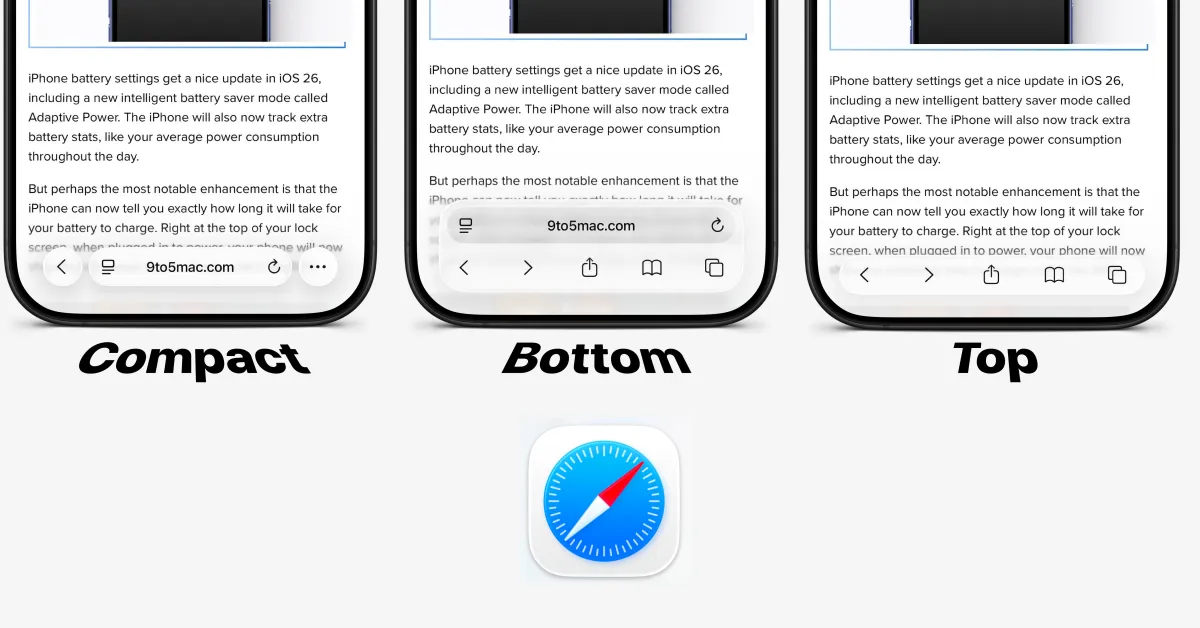
iOS 26 introduces a new Safari design with Liquid Glass and floating toolbars, defaulting to a minimalist Compact mode at the bottom of the screen. Users can switch to other modes like Bottom or Top via Settings to customize the toolbar layout, with options for visible buttons or traditional header/footer styles.
- iOS 26: How to change Safari toolbar design on iPhone 9to5Mac
- iOS 26 Is Here. These Are the Best New Features. The New York Times
- Your iPhone is getting a big update. Here’s what to do with iOS 26 first. The Washington Post
- New versions of Apple’s software platforms are available today Apple
- iOS 26 Review: A New Look I'll Be Happy With for the Next 12 Years CNET
Reading Insights
Total Reads
0
Unique Readers
1
Time Saved
2 min
vs 3 min read
Condensed
88%
436 → 51 words
Want the full story? Read the original article
Read on 9to5Mac