
"How to Disable AI Features in Google Search"
TL;DR Summary
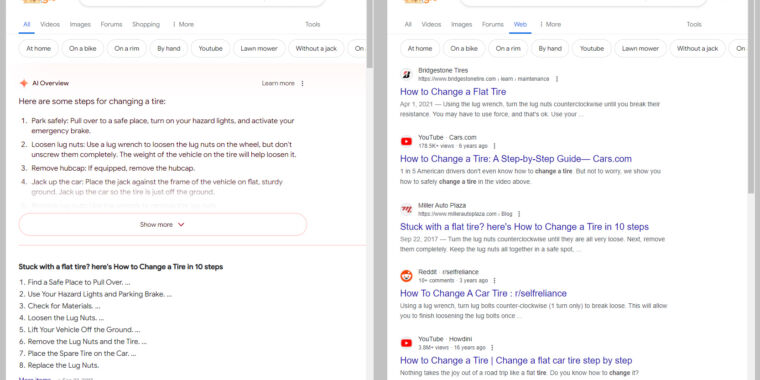
A new trick using the URL parameter "&udm=14" allows users to disable Google's AI Overview in search results, reverting to the traditional "web" search with 10 blue links. This method can be set up in browser settings to make it the default search mode, bypassing Google's AI features. However, the overall quality of search results remains affected by SEO spammers, prompting some to consider alternative search engines.
- Google Search's “udm=14” trick lets you kill AI search for good Ars Technica
- New ways Google AI can improve ads performance and creativity The Keyword | Google Product and Technology News
- Why publishers fear traffic, ad declines from Google's AI-generated search results Digiday
- Is it possible to turn off AI Overview in Google Search? What we know. USA TODAY
- How to avoid AI in your Google searches Popular Science
Reading Insights
Total Reads
0
Unique Readers
0
Time Saved
4 min
vs 5 min read
Condensed
93%
933 → 67 words
Want the full story? Read the original article
Read on Ars Technica